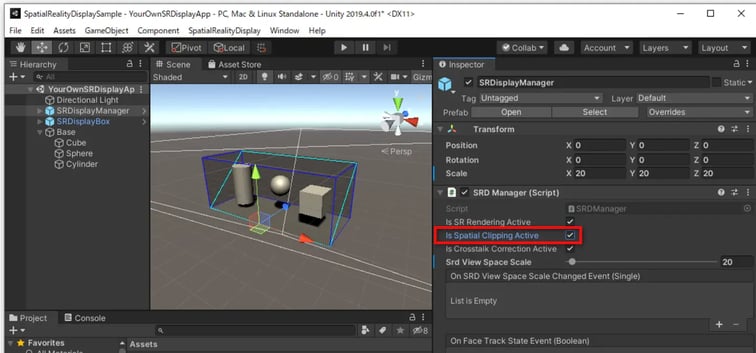
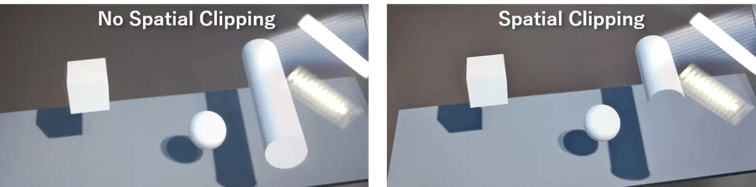
You can clip the front plane of the Spatial Reality Display view space.
Prerequisites
- Setup your Spatial Reality Display, if not, see: Setup Spatial Reality Display,Setup Spatial Reality Display Settings
-
Set up your Unity project installed SRDisplay UnityPlugin, if not, see: Setup for Unity, Create your simple app "Hello cube!"
How to use
Just toggle Is Spatial Clipping Active check box in Spatial Reality DisplayManager component. x in Spatial Reality DisplayManager. x in Spatial Reality DisplayManager.