

Create your simple app "Hello cube!"
Let's try to develop your Spatial Reality Display app in Unity !
Prerequisites
- Setup your Spatial Reality Display, if not, see: Setup Spatial Reality Display,Setup Spatial Reality Display Settings
-
Set up your Unity project installed SRDisplay UnityPlugin, if not, see: Set up for Unity
Add SRDisplayManager
-
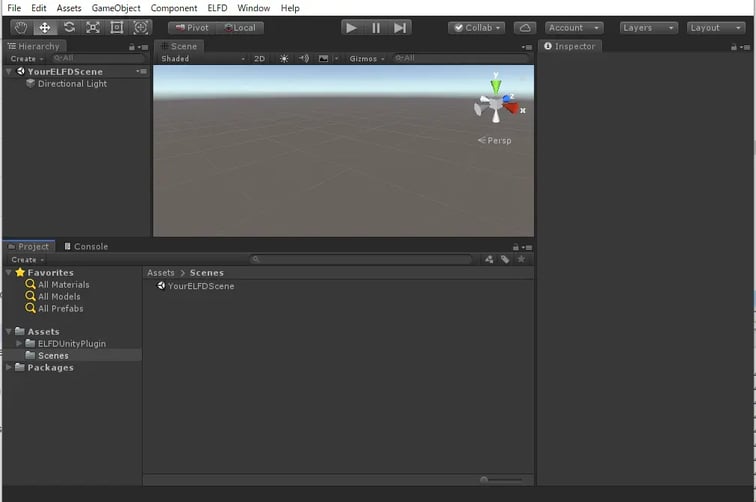
Open a new scene from File > New Scene and remove Main Camera (prepared by default) from the scene
- Put SRDisplayManager Prefab in your scene Hierarchy
- You can find SRDisplayManager Prefab in Assets / SRDisplayUnityPlugin / Runtime / Prefabs
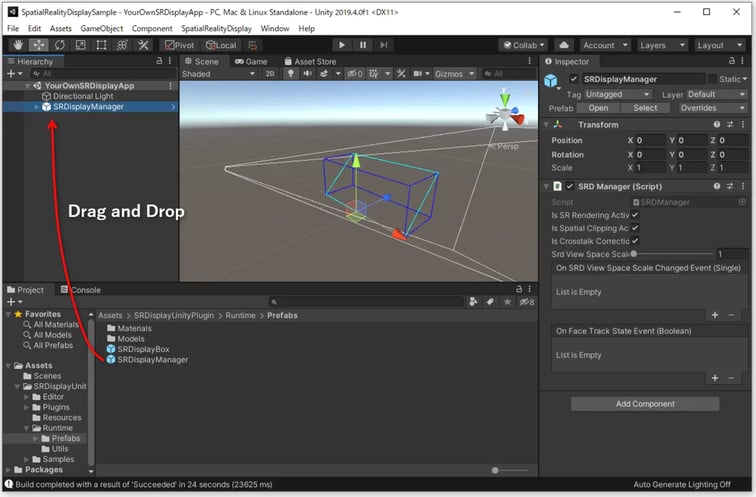 Then, you can see a blue wireframe GIZMO box and a cyan wireframe GIZMO plane.
Place your objects
- You can use SRDisplayBox Prefab that shows the floor and walls(transparent) of Spatial Reality Display.
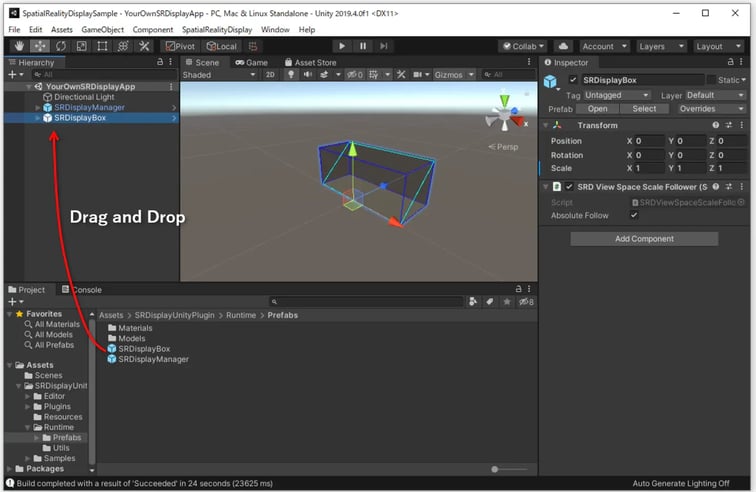
- You can place any objects
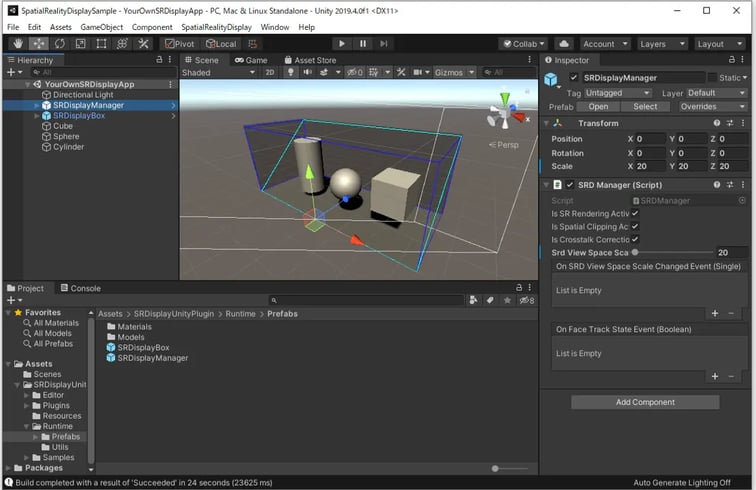
Build and run your app
- Configure Project Settings from Edit > Project Settings...
- Set Don't Sync in VSync Count in all Quality Levels (See: Minimize the latency for good user experience in Tips and Constraints)
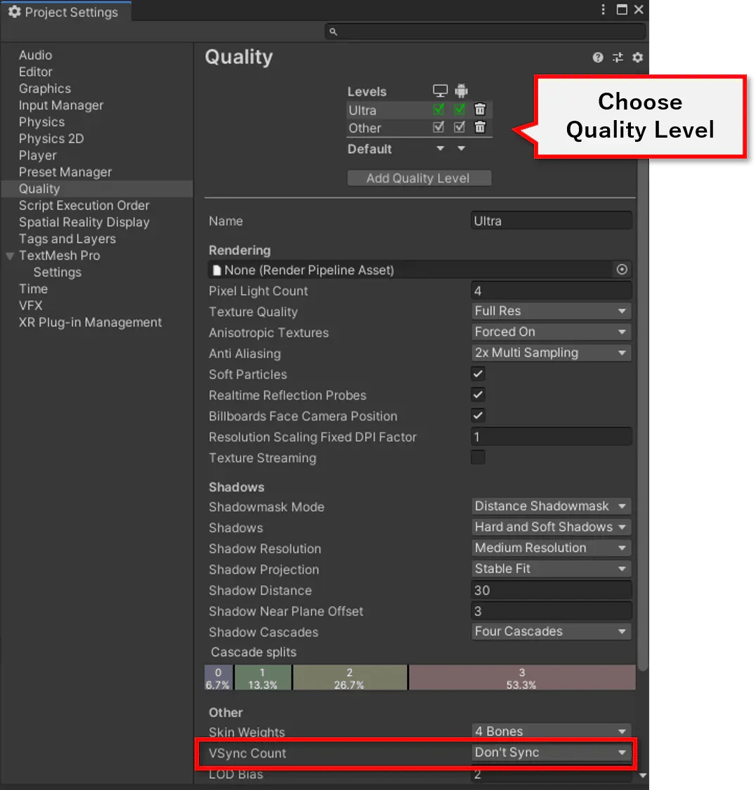
- Open Build Settings dialog from File > Build Settings and double-check your configuration settings.
-
Add your scene to Scenes In Build in Build Settings
-
Make sure that Architecture is Intel 64-bit
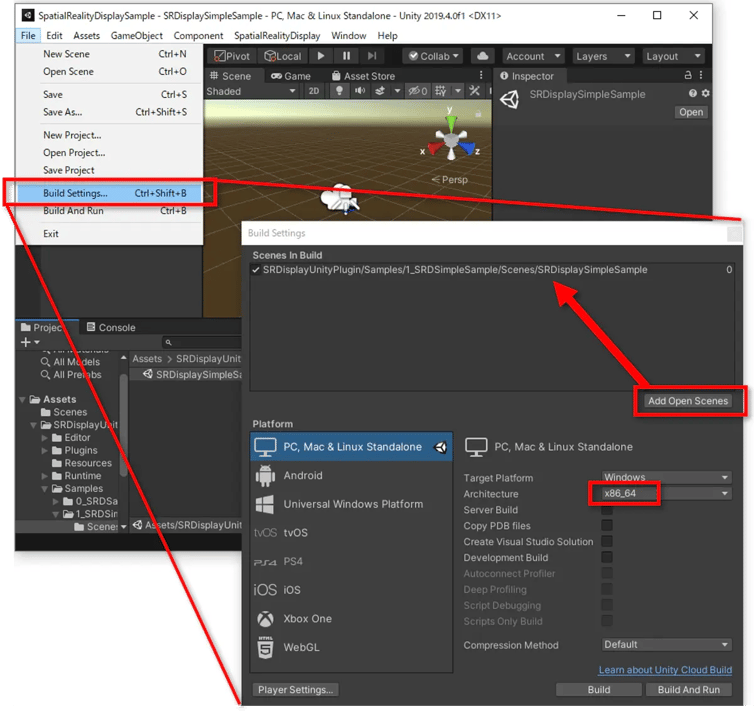
- Click Build in Build Settings and choose the folder you want to save the app, then you can get the app file(.exe).
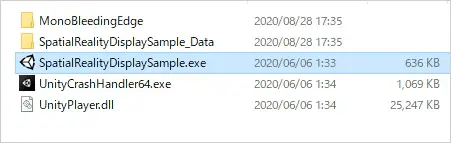
- Unity will create an executable file in that folder. Click on that file and it will launch the content on the Spatial Reality Display.


