

Use the PlayMode in Unity Editor
You can see the preview in your Spatial Reality Display using Unity's PlayMode as you always do in the development using Unity.
Prerequisites
- Setup your Spatial Reality Display, if not, see: Setup Spatial Reality Display,Setup Spatial Reality Display Settings
-
Set up your Unity project installed SRDisplay UnityPlugin, if not, see: Set up for Unity
Open SRDisplay GameView
Click SRDisplay GameView (Full Screen) under the SpatialRealityDisplay menu, then you should see SRDisplay GameView in your Spatial Reality Display.
- You can toggle SRDisplay GameView with F11 key
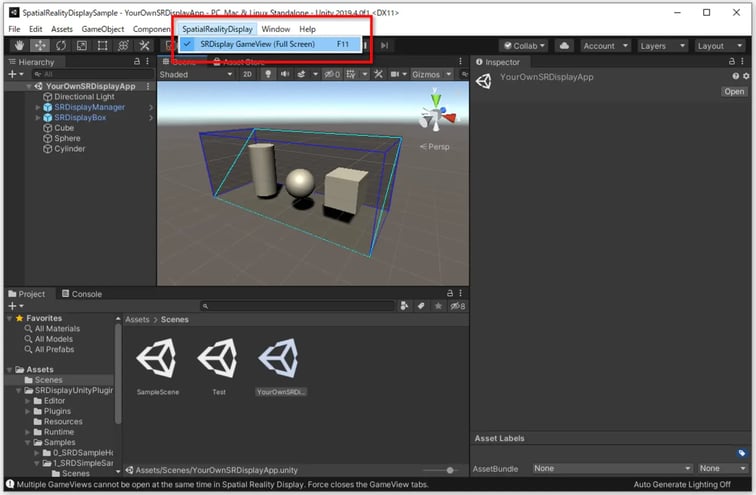 You can continue to use Unity as normal. Just press the Play button to play your app in Unity Editor.


