1. PC/Smartphone System Requirements for Playback

PC/Smartphone System Requirements for Playback

Table of Contents

Recommended PC Specifications

About PC Environment

The ELF-MN1 connects to a Windows PC or smartphone for use. For development and playback on a PC, a high-performance CPU and GPU are required to render 3D computer graphics in real time. Use the specifications below as a guide when preparing your PC.

ELF-MN1

Item Recommended System Requirements
OS Windows 11
CPU Intel® Core™ i5 or higher (6 cores)
AMD Ryzen™ 5 or higher (6 cores & 12 threads)
GPU NVIDIA® GeForce® RTX 2070 Super or higher
AMD Radeon™ RX 5700 XT or higher
Memory 16 GB or more
Storage SSD Recommended
Others The PC must be equipped with one of the following interfaces:
[1] USB-C connection
One USB-C port supporting DisplayPort Alternate Mode and 4K 60p output
[2] DisplayPort + USB connection
・One DisplayPort supporting 4K 60p output
・One USB port supporting USB 2.0 or later
Note:
Connection method [2] additionally requires a conversion cable*1 capable of combining the DisplayPort video signal and USB communication into a USB-C connection.
Depending on the PC, conversion cable, and other connection conditions, the connection may not operate properly.


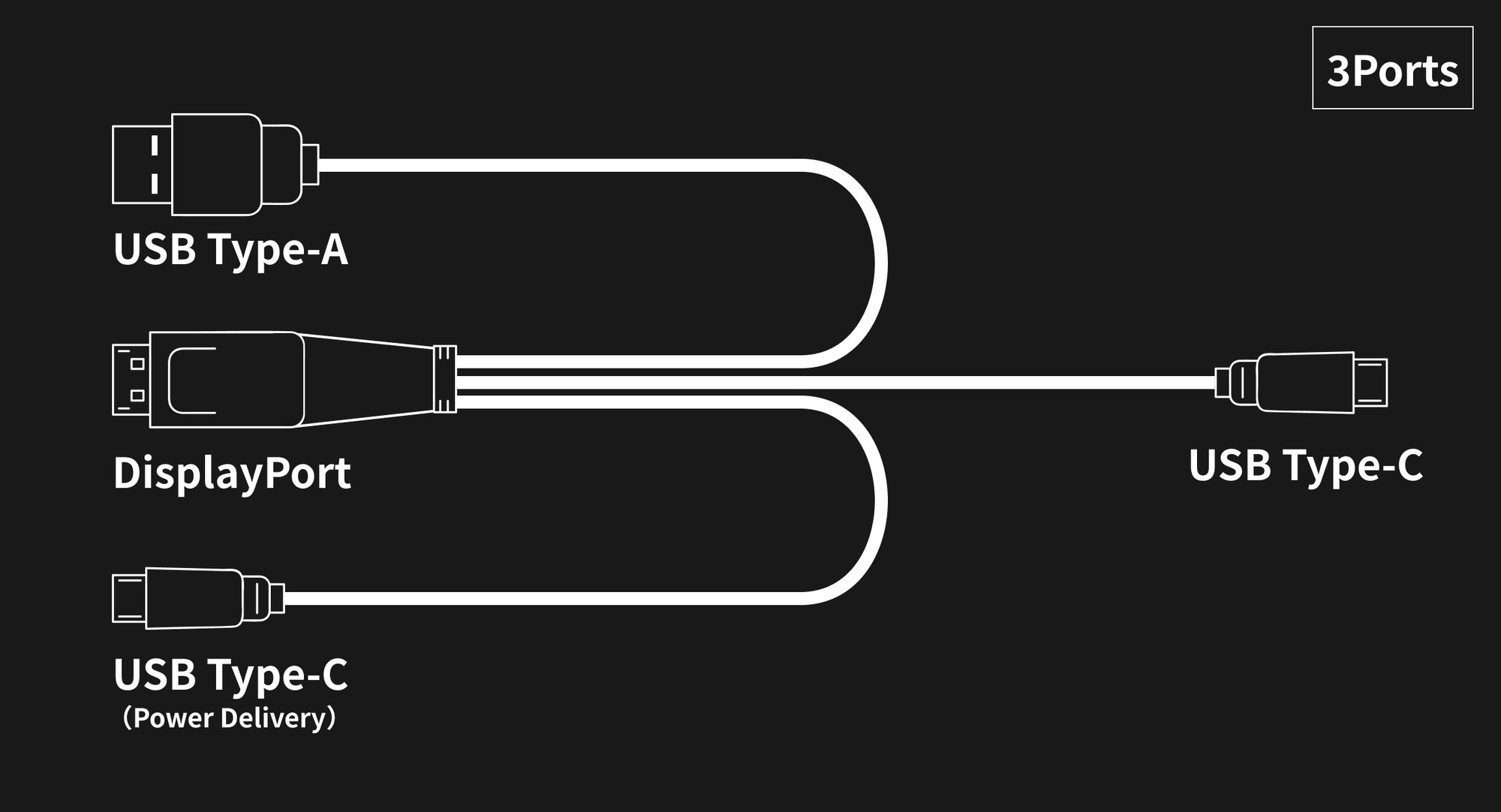
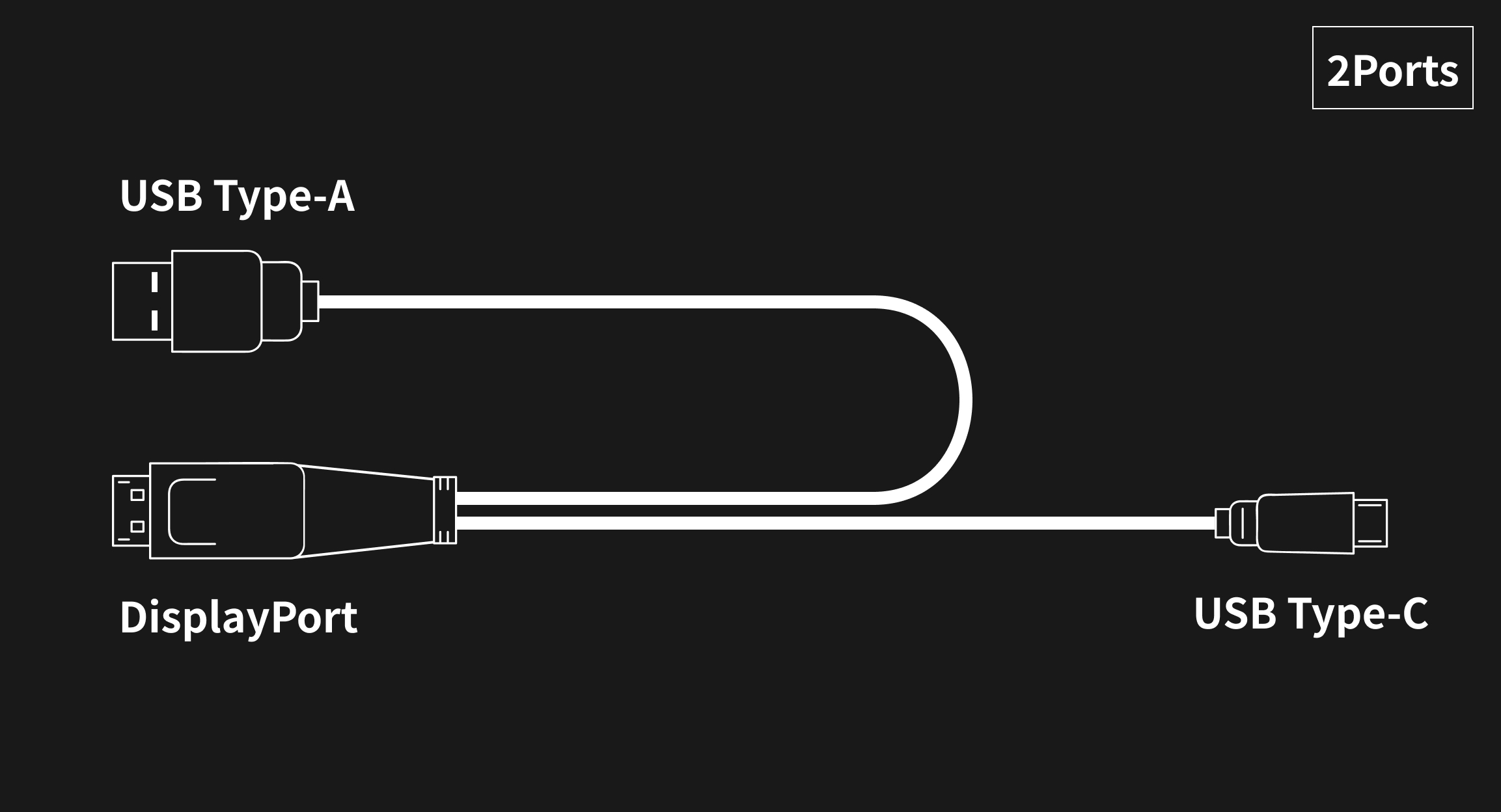
*1 Examples of conversion cables for PCs without a USB Type-C port
30
cable-image-2ports-03
2-port type
Connect the USB Type-A and DisplayPort connectors to the PC, and the USB Type-C connector to the ELF-MN1.
Power is supplied to the ELF-MN1 via a separate power supply cable.
cable-image-3ports-03
3-port type
This is a 2-port type with an additional USB Type-C (Power Delivery) connector.
This connector is not used when connecting to the ELF-MN1.

Smartphones Tested for Compatibility

Android smartphone

Sony

  • Xperia 1 VIII
  • Xperia 1 VII
  • Xperia 1 VI
  • Xperia 1 V
  • Xperia 5 V

Samsung

  • Galaxy S26 / Galaxy S26 Ultra
  • Galaxy S25 / Galaxy S25 Ultra
  • Galaxy S24 / Galaxy S24 Ultra
  • Galaxy S23 / Galaxy S23 Ultra

Google

  • Pixel 11/Pixel 11Pro
  • Pixel 10/Pixel 10Pro

iPhone

Apple

  • iPhone 17 / iPhone 17 Pro
  • iPhone 16 / iPhone 16 Pro
  • iPhone 15 / iPhone 15 Pro

Even under the recommended system requirements, the frame rate may drop significantly depending on the content. To ensure a smooth viewing experience, we recommend a system capable of playing back content at a frame rate of 60 fps or higher.
Test Content: We have confirmed that the following content, provided by Unity Technologies Japan, can achieve a frame rate of 60 fps or higher when played using the SDK.
https://unity3d.jp/unity-chan/releaseNote?id=CandyRockStar

Developer Contact・
Commercial Use