ベータ利用のお問い合わせ

Spatial capture solution

Streamlines production workflow by creating high-quality 3DCG assets from real-world spaces and objects

Receive Updates on
Spatial Capture Solutions

Newsletter

What is a "Spatial capture solution?"

The solution creates high-quality 3DCG assets from real objects and spaces. It streamlines 3DCG production workflows for props in movies and games, as well as background assets for metaverse and virtual production.

The solution is currently offering features for virtual production (In-Camera VFX, greenbacks, etc.). It realizes efficient use of production-quality 3DCG assets.
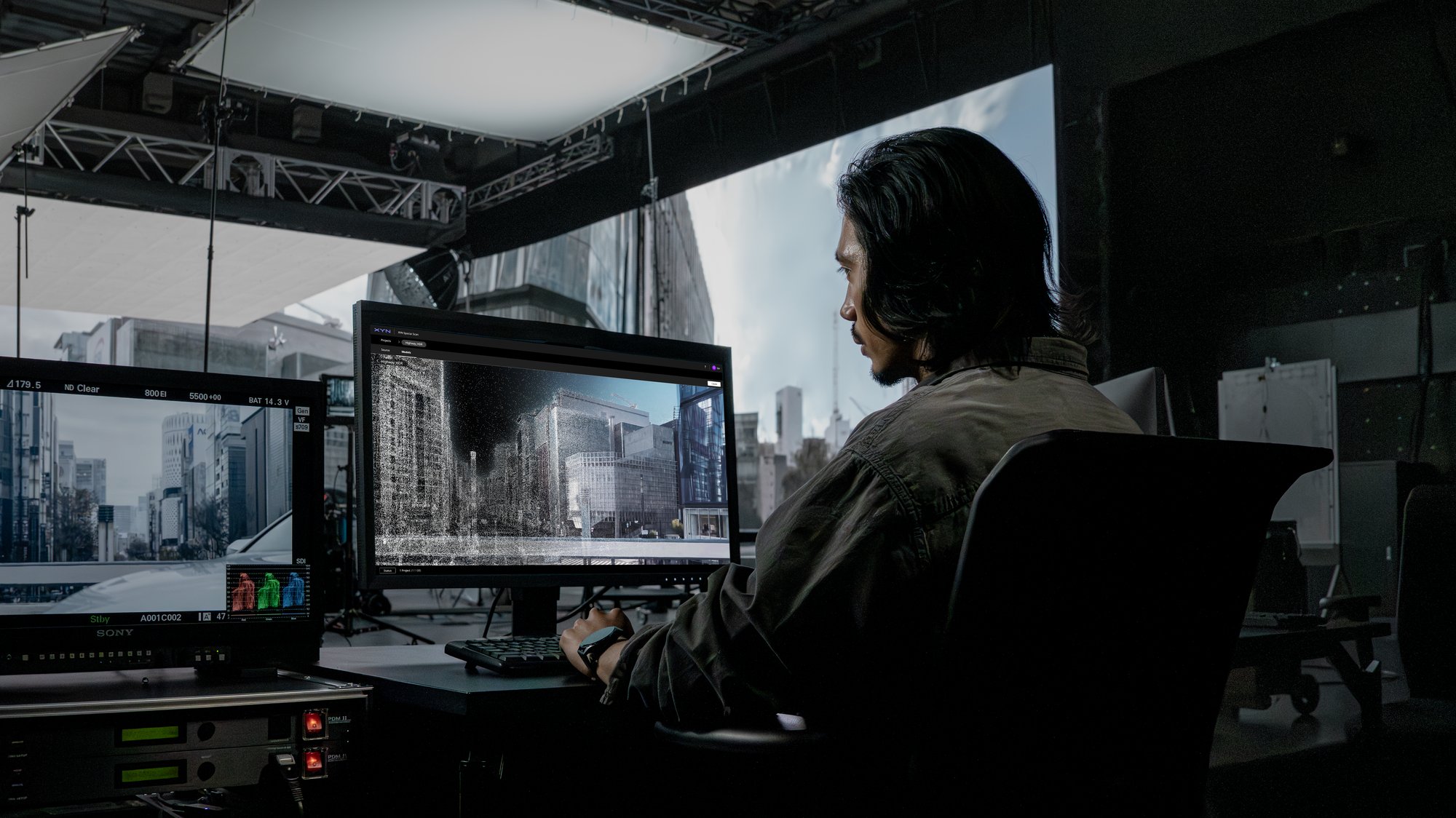
XYN_Spatial Capture Solution for VP_16x9

Beta Version Overview

We are now accepting inquiries about using the beta version of XYN Spatial Capture Solution for virtual production (In-Camera VFX, Greenback, etc.).

The beta version includes XYN Spatial Scan Navi Beta, a smartphone application that supports spatial content capture, XYN Spatial Scan Beta, a web application that generates 3DCG assets from captured data, and XYN Spatial Renderer Plugin " for high-quality playback.

Image quality features of XYN Spatial Scan Beta
1. high resolution, low noise, high dynamic range 3DCG that can be used for LED walls in virtual production studios
(2) Generates 3DCG of reflective objects, transparent objects, complex shapes, and thin objects, which have been difficult to achieve in the past.
3. high quality playback, including HDR compatibility by providing Sony's proprietary renderer (to be supported soon)

photographing

Mask group (1)

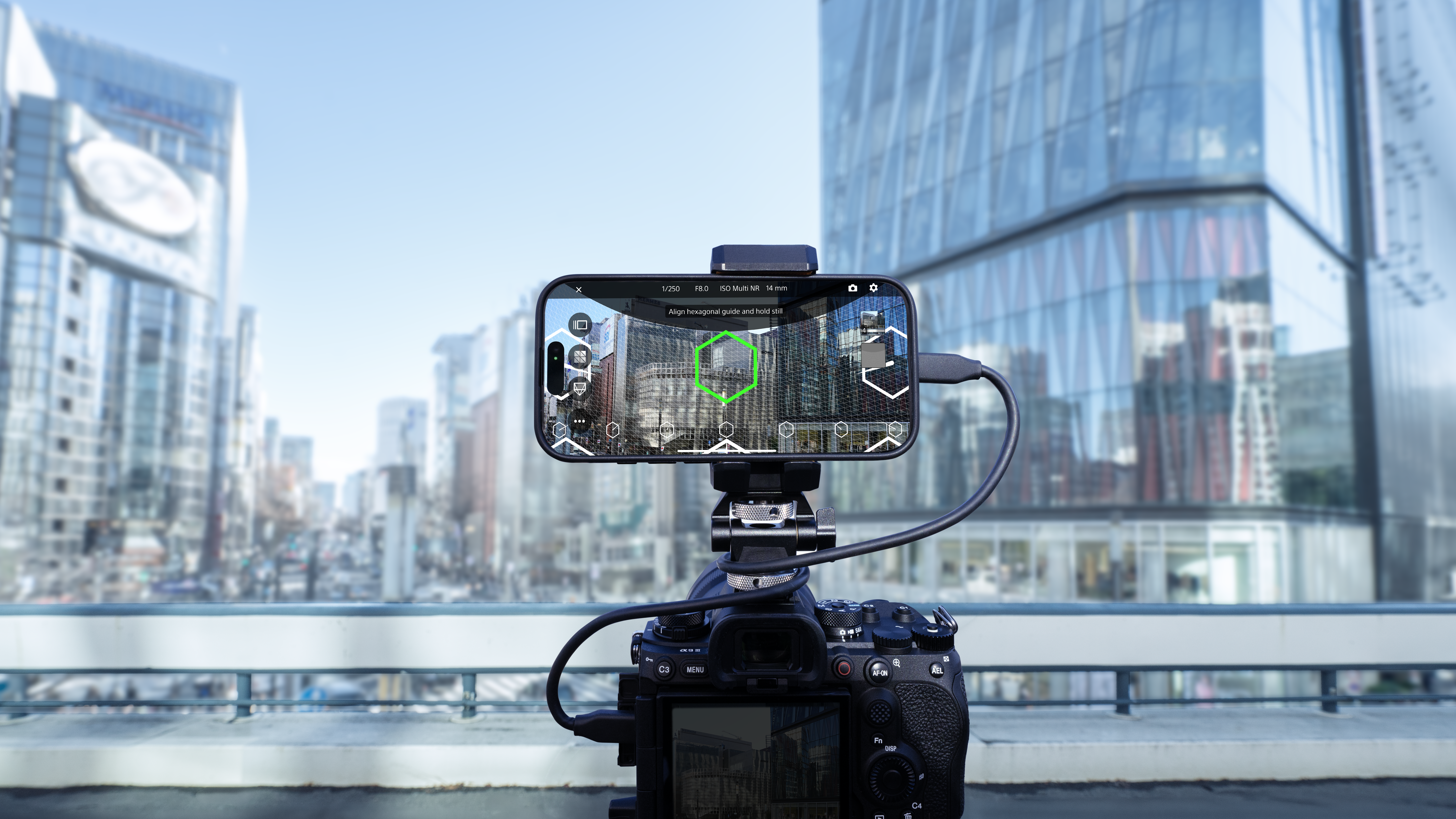
Real-time visualization of shooting status reduces shooting errors.
Automatic setting and shooting functions that can be used even by those unfamiliar with shooting spatial content

Applications*1
XYN Spatial Scan Navi Beta

generation

Group 7861 (2)

Sony's proprietary algorithms enable studio-grade high-quality CG production.
Simple and easy-to-use interface that can be completed in a few simple steps

Applications
XYN Spatial Scan Beta

conjugation

Mask group (8)

Sony's original high-definition rendering
Media server support (coming soon)

Applications Used
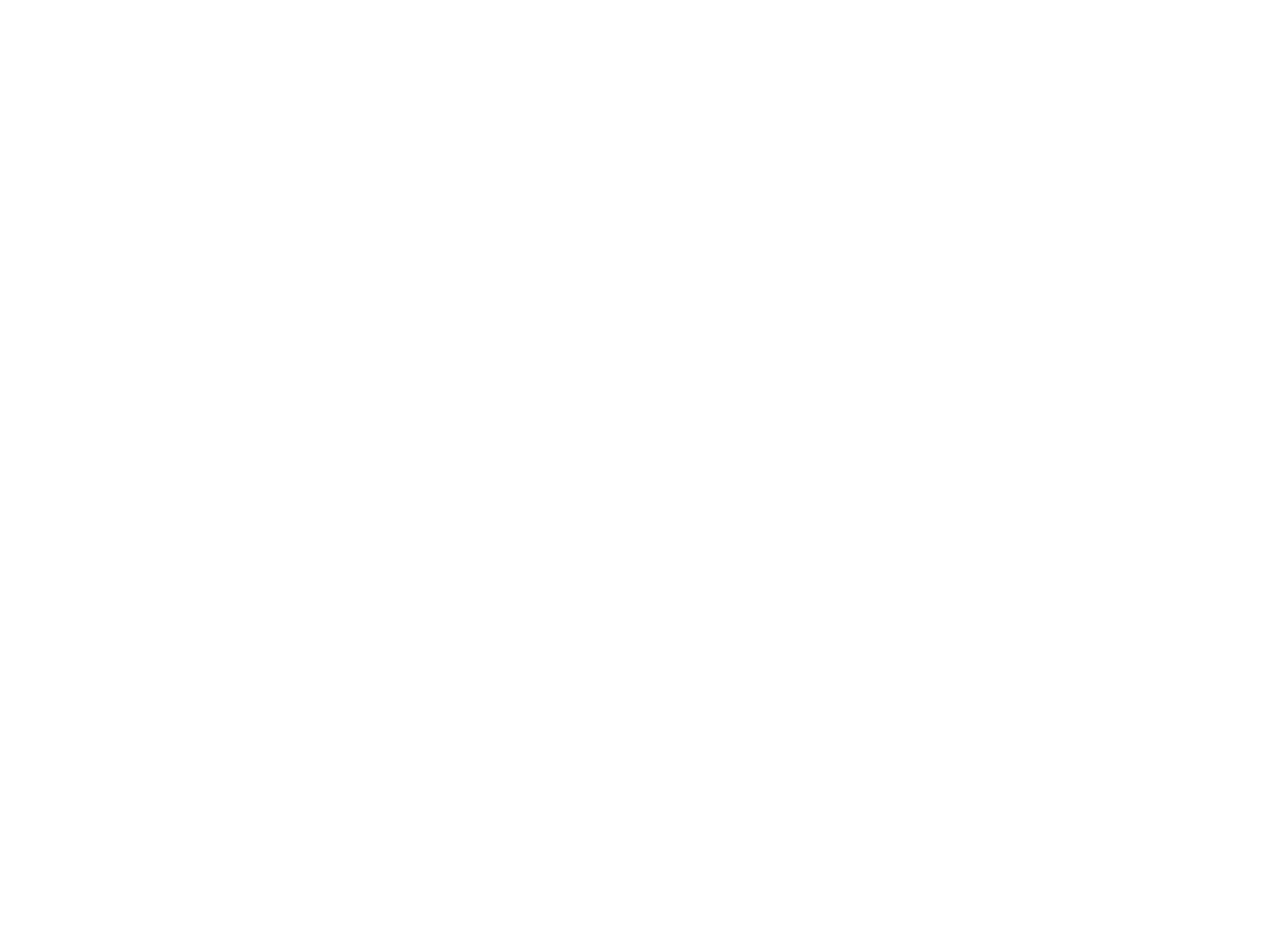
XYN Spatial Renderer Plugin

*1 Please contact us for the models that have been tested for XYN Spatial Scan Navi Beta.

Workflow and Applications

We support the production workflow of 3DCG assets, from the shooting of spatial content to the generation and utilization of high-quality 3DCG assets.
Capture

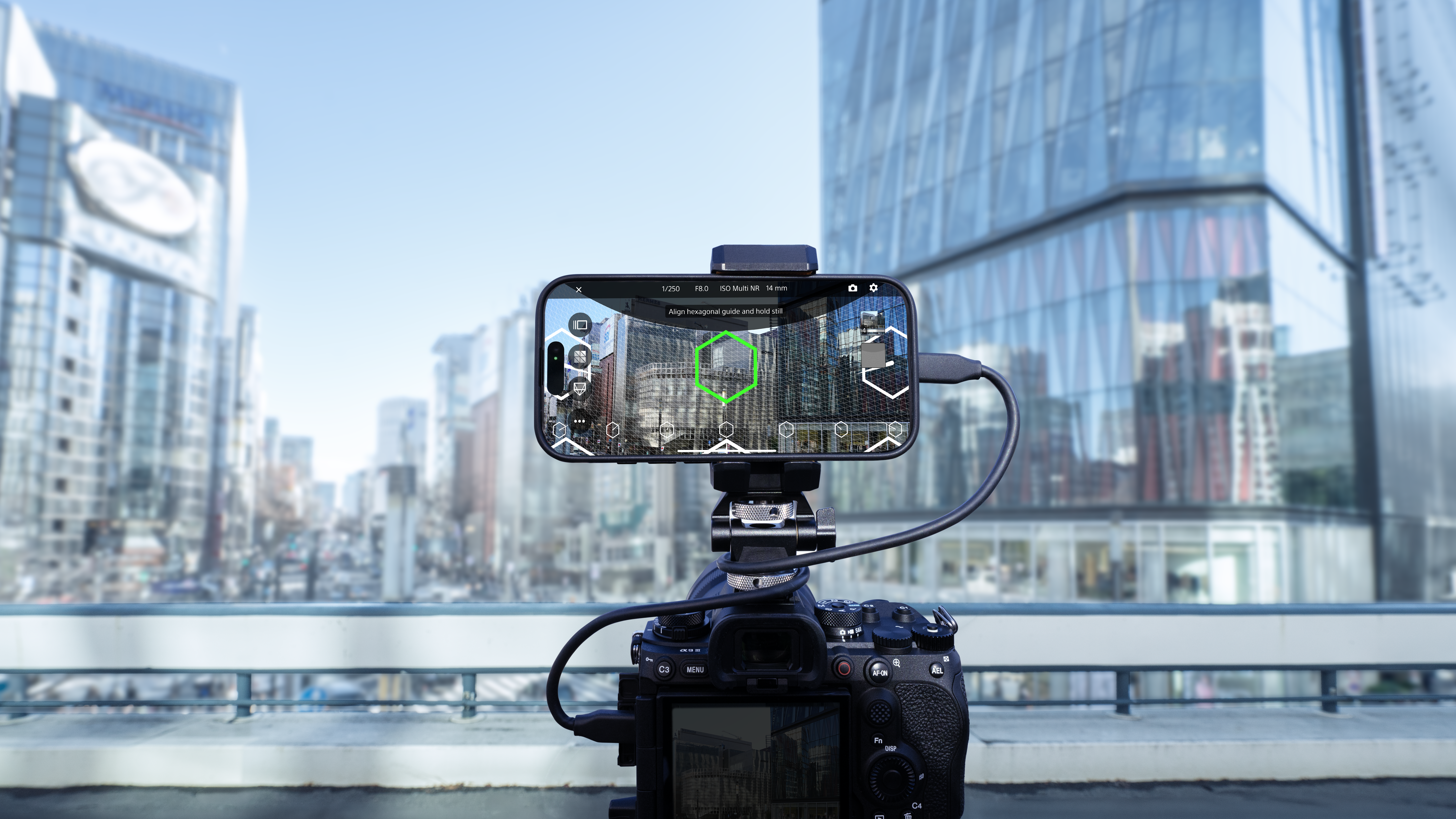
XYN_SpatialScanNavi_KV_16x9_260306 1
Software
XYN_Icon_Spatial Scan Navi 4

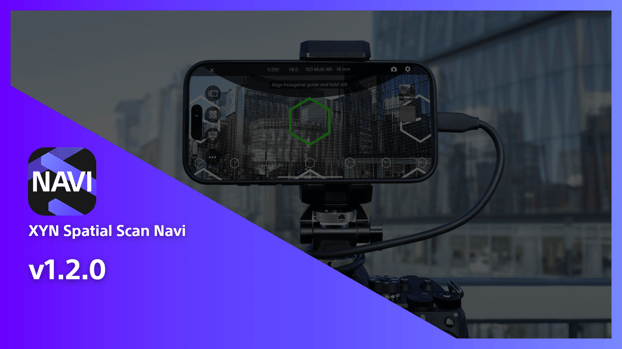
XYN Spatial Scan Navi

Smartphone application to assist in capturing spatial content with a mirrorless SLR camera
Details

Create

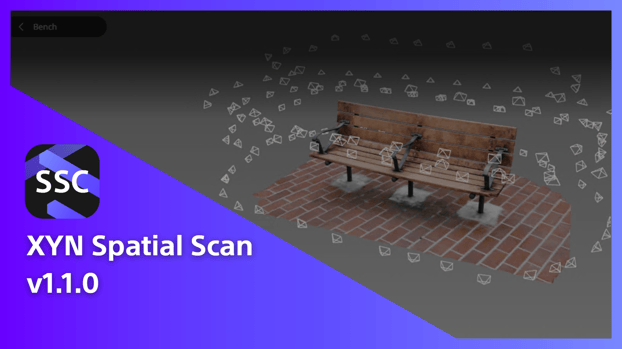
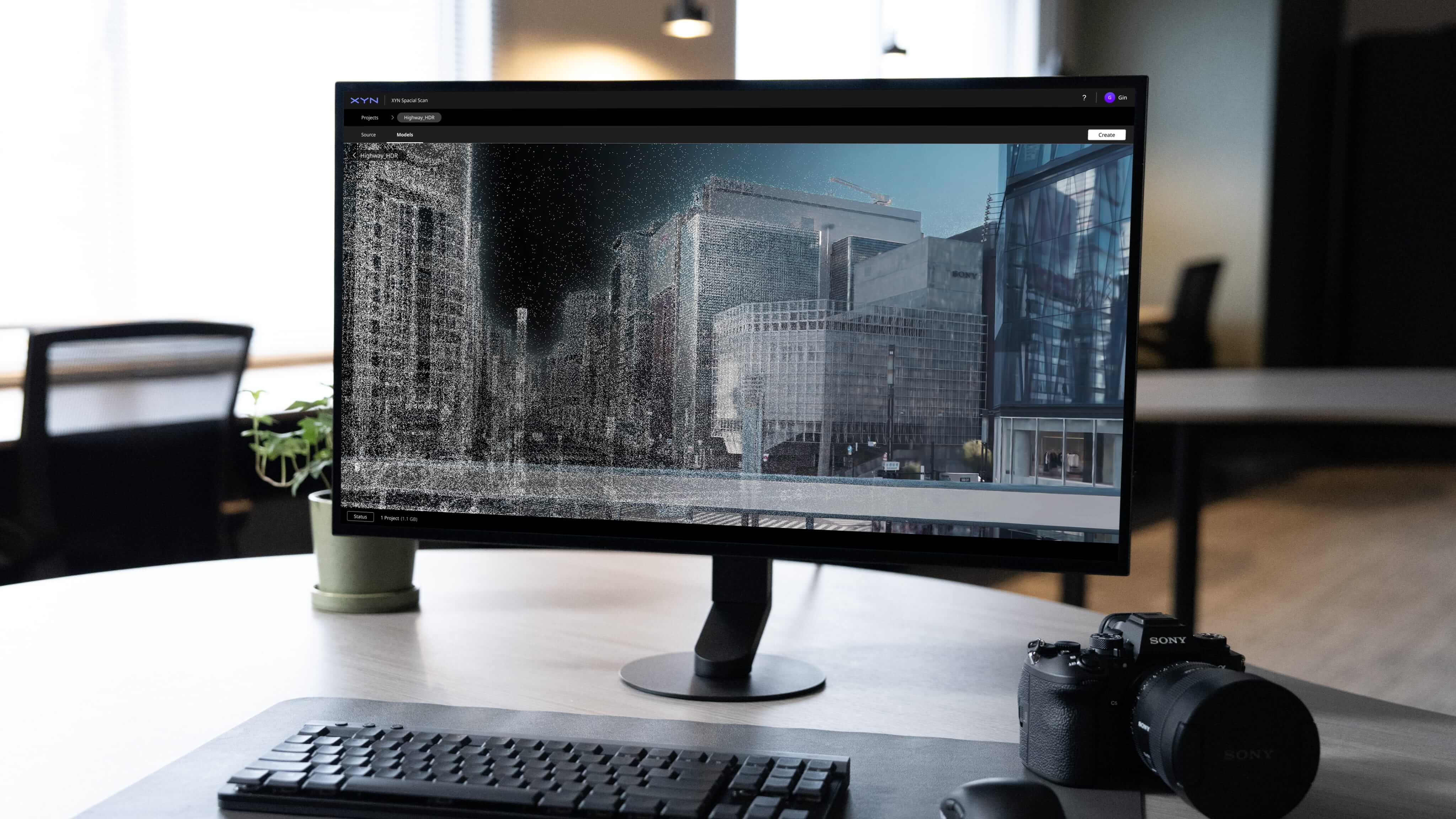
XYN_SpatialScan_mockup_16x9_260306 1
Software
XYN_Icon_Spatial Scan 4

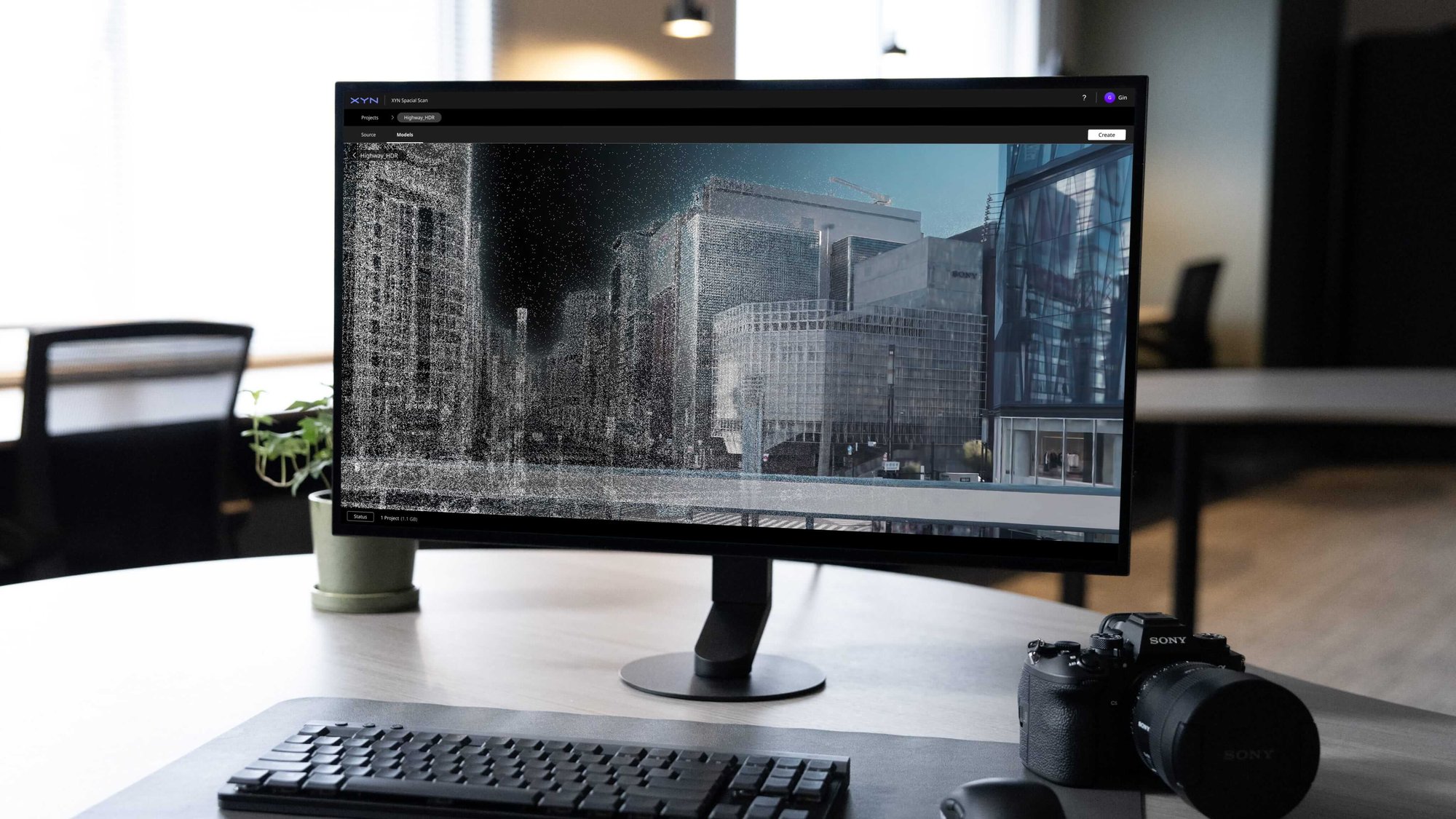
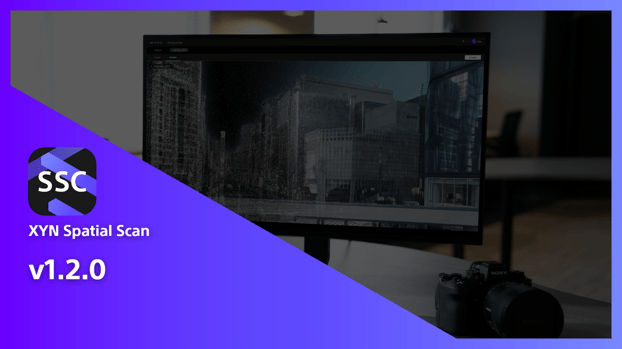
XYN Spatial Scan

Cloud application that turns real space into high-quality 3DCG assets
Details

Utilize

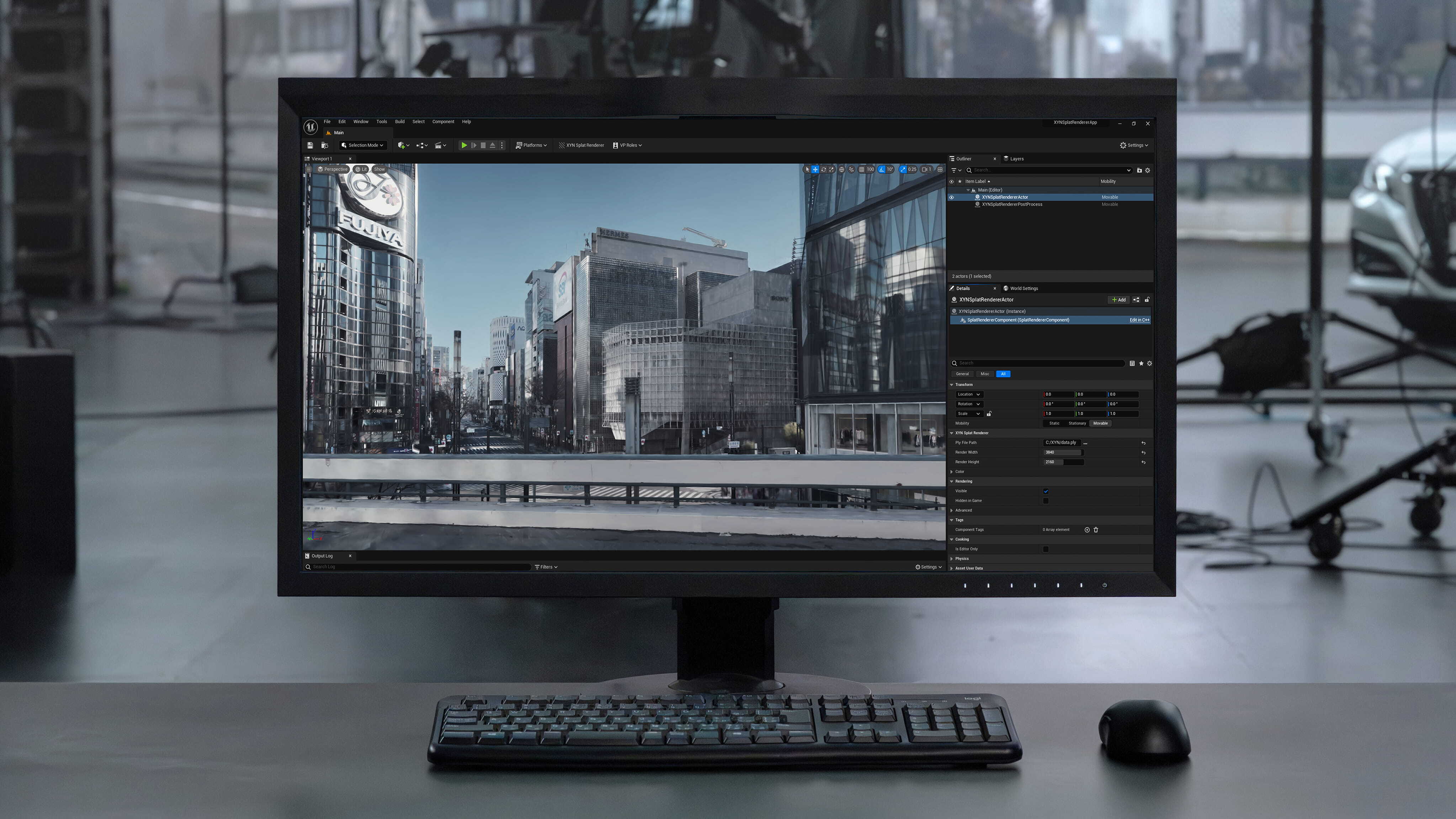
XYN_Rederer_mockup_16x9_260306 1
Plugin
XYN_Plugin icon 4

XYN Spatial Renderer Plugin

Renderer plugin for stable display with high image quality

Details
Application Features

What is XYN Spatial Scan Navi Beta?

A smartphone application*1 that visualizes the shooting status of a mirrorless camera*1 in real time and enables efficient and high-quality 3D scanning*2,
It is a smartphone application*1 that visualizes the shooting status of a mirrorless camera*1 in real time and enables efficient and high-quality 3D scanning*1.

XYN Spatial Scan Beta Features

Photorealistic Generation Quality with Sony's Unique Algorithm

Innovative algorithms for generating studio-quality spatial content reproduce reflections and transparent materials in high-definition and photorealistic quality. The generation method can be customized according to the application, enabling high-quality content production that takes full advantage of the mirrorless camera's performance.

High-Quality 3DCG Assets Easily Generated by Cloud Generation

Using cloud generation, anyone can easily generate multiple high-quality 3DCG assets simultaneously*1 with just a few clicks in a simple web UI. Generated data can be previewed instantly on the web.

Speedy 3DCG asset generation and linkage with various production tools

The meta-information linkage between the mirrorless camera α and mobile applications that support photography enables speedy and high-quality generated 3DCG assets to be used for high-quality rendering on a wide range of devices, including LEDs, spatial reproduction displays, HMDs, PCs, and smartphones*2, The data format is easily handled by the DCC tools you normally use, maximizing flexibility and efficiency in production.

ソニー独自アルゴリズムによるフォトリアルな生成品質

スタジオ品質の空間コンテンツを生成する革新的なアルゴリズムにより、反射や透明な物質も高精細かつフォトリアルに再現。用途に応じた生成方法のカスタマイズが可能で、ミラーレスカメラの性能を最大限に活かした高品質なコンテンツ制作を実現します。

クラウド生成で高品質3DCGアセットを手軽に

普段使いのPCでOK!クラウド生成を活用し、シンプルなWeb UIで数クリックするだけで、誰でも簡単に高品質な3DCGアセットを複数同時に生成*1できます。生成したデータはWeb上で即座にプレビュー可能。

スピーディーな3DCGアセット生成と様々な制作ツールとの連携

ミラーレスカメラαと撮影を支援するモバイルアプリケーションのメタ情報連携により、スピーディーかつ高品質に生成された3DCGアセットを用いたLED、空間再現ディスプレイ、HMD、PC、スマホなど、幅広いデバイスでの高品質なレンダリングにも対応します*2。さらに、普段使いのDCCツールで簡単に扱えるデータ形式を採用し、制作の柔軟性と効率を最大化します。

*1 Generation may not be possible during cloud congestion.
*2 As of 11/20, only rendering to LED is supported.

Point 1

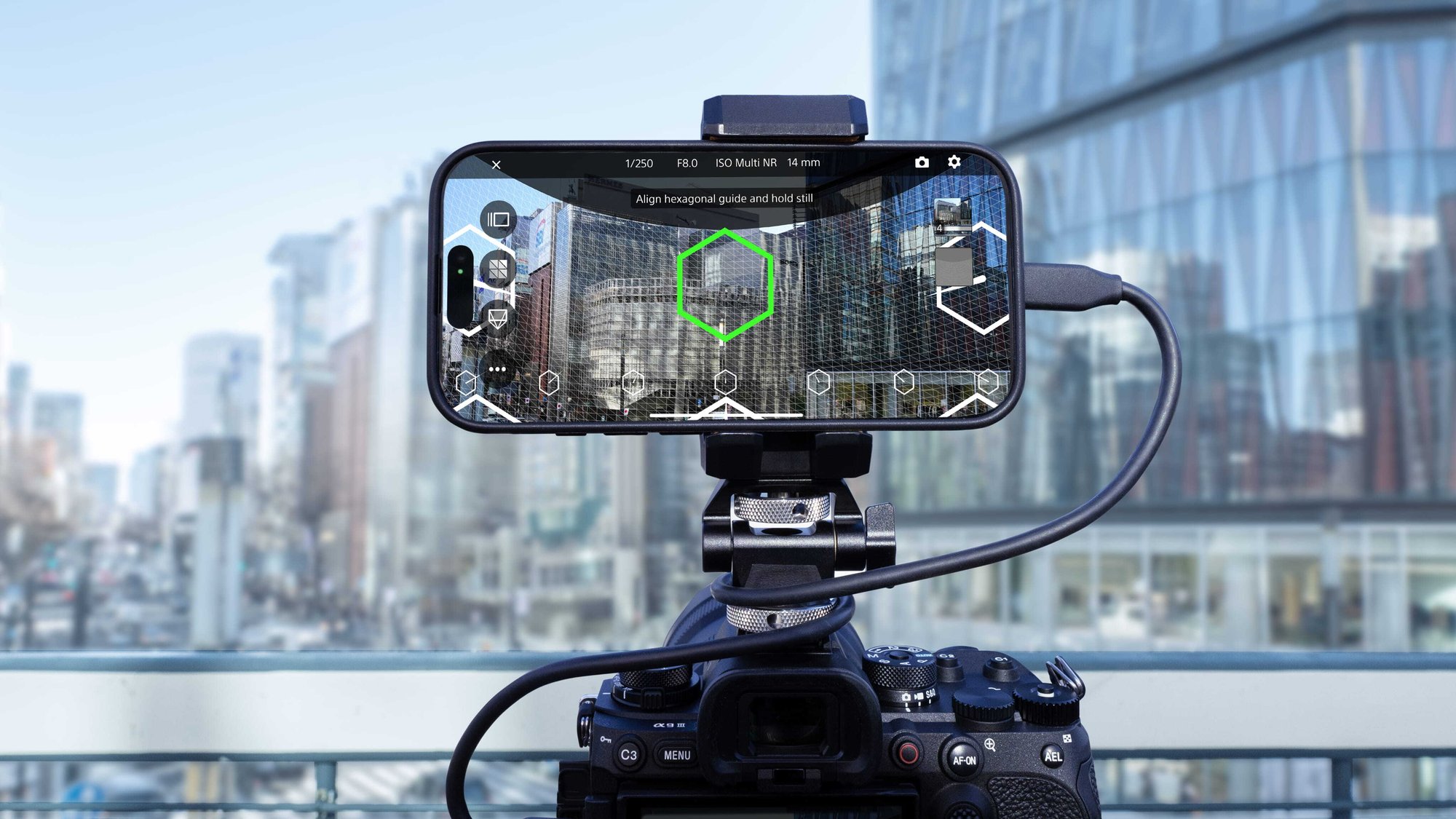
AR Navigation Makes High-Quality Photography Easy

Even beginners can easily take high-quality photos for 3DCG asset generation with the AR navigation display tailored to the subject. Automatic exposure settings and auto-shutter functions assist in taking pictures without mistakes or blurring, allowing photographers of any skill level to take pictures of consistent quality.

image01_point01_products

AR Navigation Makes High-Quality Photography Easy

Even beginners can easily take high-quality photos for 3DCG asset generation with the AR navigation display tailored to the subject. Automatic exposure settings and auto-shutter functions assist in taking pictures without mistakes or blurring, allowing photographers of any skill level to take pictures of consistent quality.

This screen is currently under development and is subject to change or update.

Full range of functions demanded by professionals in the field

From project management, which tends to be cumbersome, to a preview function that allows users to check captured photos and their positions in real time, the software covers all the functions necessary for the 3D scanning process. A wide variety of functions that respond to the needs of the field will help streamline the production process.

This screen is currently under development and is subject to change or update.

Smartphone Linkage Enables Speedy Processing

Smartphone meta information linkage simplifies the conventional data capture process and supports speedy and high-quality 3DCG asset creation*2. Photos taken can be uploaded to the XYN Spatial Scan Beta cloud directly from the application, and generation can begin immediately.

*2 Communication fees will be incurred if mobile data communication is used for uploading.

This screen is currently under development and is subject to change or update.

Point 3

Smartphone Linkage Enables Speedy Processing

Smartphone meta information linkage simplifies the conventional data capture process and supports speedy and high-quality 3DCG asset creation*2. Photos taken can be uploaded to the XYN Spatial Scan Beta cloud directly from the application, and generation can begin immediately.

*2 Communication fees will be incurred if mobile data communication is used for uploading.

*1 Windows only; please check the recommended PC specs.

*2 To connect 12 sensors in Professional Mode with XYN Motion Studio and mocopi PC application, two sets each of 'mocopi' and Sensor Data Receiver (QM-PR1) and 1 band (QM-PB1) are required. sets each of 'mocopi' and Sensor Data Receiver (QM-PR1) and 1 band (QM-PB1) are required.

*3 Requires the mocopi PC application or XYN Motion Studio .

*4 Requires Sensor Data Receiver for mocopi (QM-PR1)

Applications Supporting Spatial Capture Solutions

3D scan shooting with high accuracy and stability.

AR navigation display and automatic exposure setting functions support efficient shooting of background assets for virtual production.

Professional on-site needs in one package

From project management to real-time preview, all the functions necessary for 3D scanning are included. Realize more efficient production.

Group 7863 (1)

Smooth work time with application linkage

Upload photos directly from "XYN Spatial Scan Navi Beta" to "XYN Spatial Scan Beta" to the cloud*2 to start generating high-quality 3DCG assets immediately after shooting.

*2 Communication fees will be incurred if mobile data communication is used for uploading.
What is "XYN Spatial Scan Beta"?

Simply upload a photo taken with a mirrorless camera to XYN Spatial Scan Beta,
XYN Spatial Scan Beta is a web application that enables anyone to easily generate high-quality 3DCG assets.

Generates studio-quality background assets

Sony's proprietary algorithms reproduce the transparency and reflections of glass and metal in a photo-realistic manner. High-quality background assets can be generated by taking advantage of the performance of mirrorless cameras*1.

Generation is performed in the cloud

Multiple high-quality 3DCG assets can be generated*3 in the cloud from a web application. No high-performance PC is required.

*3 Generation may take time or may not be possible due to cloud congestion.

camera_with_smartphone

Meta Information Linkage Streamlines Production

High-quality 3DCG assets can be generated quickly by linking meta information from "α™" mirrorless camera and "XYN Spatial Scan Navi Beta".

Features of XYN Spatial Scan Navi

A smartphone application that assists in shooting spatial content with mirrorless cameras

Features of XYN Spatial Scan

A cloud application that converts real-world spaces and objects into high-quality 3DCG assets

Features of XYN Spatial Renderer Plugin

A renderer plugin for high-quality, stable image display

Use Cases

Group 7877 (1)

Film Production
Virtual Production 

Bringing real-world into the studio

Creating real-world high-quality 3DCG assets to streamline workflows for virtual production and video production


Learn more
Rectangle 462 (1)
Film production
Rectangle 462
Game Production
Frame 7914 (1)
Animation Production
Frame 7914
Industry

Early Use Cases with the Prototype

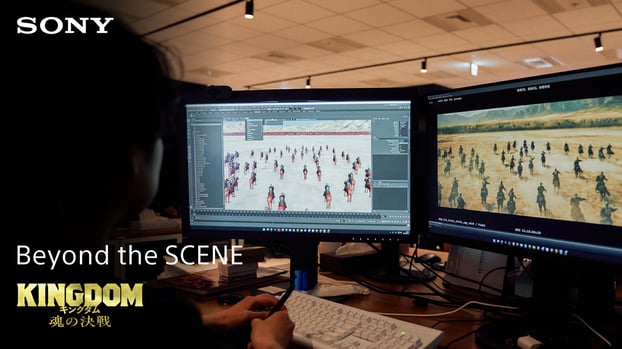
Sony PCL|Use at Kiyosumi Shirakawa BASE
Video title? Text will be included.

 Sony PCL|「Anemoi」

Virtual Production Studio"KIYOSUMI-SHIRAKAWA BASE"

 Sony PCL's Use of Background Assets in Music Video Production

Virtual Production Studio"KIYOSUMI-SHIRAKAWA BASE"

Partners

logo_nihon-tv_usecase
logo_fuji-tv_usecase
logo_tv-tokyo_usecase
logo_w_usecase
logo_NBCUniversal_usecase
logo_CBS_usecase
logo_nihon-tv_usecase
logo_fuji-tv_usecase
logo_tv-tokyo_usecase
logo_w_usecase
logo_NBCUniversal_usecase
logo_CBS_usecase

Receive Updates

As soon as we know when we will begin accepting applications, we will announce it in our newsletter.

Frequently Asked Questions
About XYN Spatial Capture Solution (Beta)

What is XYN Spatial Capture Solution (Beta)?
XYN Spatial Capture Solution (Beta) offers XYN Spatial Scan Navi Beta, a smartphone application that supports 3D scanning, and XYN Spatial XYN Spatial Scan Beta, a web application that generates photorealistic 3DCG assets from scanned data.
How can I start using the beta version?
Please contact us from "Application for Berra Use" in the top page of XYN Spatial Capture Solution (Beta).
What equipment is required for XYN Spatial Capture Solution (Beta)?
XYN Spatial Capture Solution (Beta) is a solution that allows anyone to easily generate high-quality 3DCG assets from images captured with a mirrorless camera. A mirrorless camera, smartphone, and PC are required.
What are the use cases for XYN Spatial Capture Solution (Beta)?
It is intended for use in professional settings such as film and video production, news reporting, and industry visualization.
What is the difference between a traditional 3D scan and a 3D scan?
Sony's proprietary algorithms make it easy for anyone to achieve high-definition expression. This technology has high reproducibility including reflection and gloss of the object.

About XYN Spatial Scan Navi Beta

Which smartphones and cameras does XYN Spatial Scan Navi Beta support?
Details of supported models are not available at this time. Please use the Beta Usage Form to inquire about the use of the Beta version and supported models.
How do I get the XYN Spatial Scan Navi Beta application?
Please contact us through "Contact Us" in the top page of XYN Spatial Capture Solution (Beta).

Plans and Rates

Basic
mocopi PC
Powered by XYN

550 yen per month (tax included)

Capture Function

  • Motion Capture with mocopi
  • Save motion data and save video
  • Live stream of motion to Unity, Unreal Engine, Maya, Motion Builder
  • Live stream of motion to other supported services
  • mocopi Professional Mode
  • Camera blending
  • Saving in BVH and FBX formats
支払いとダウンロード

Pro
XYN Motion Studio

1,100 yen per month (tax included)

Capture Function

  • All mocopi PC features

Editing Functions

  • Timeline editing (trimming, merging)
  • Automatic generation of intermediate motion (Tween)

Data Management Functions

  • Motion upload to cloud
  • Automatic motion tagging
  • Use of Sony's motion library (tags and natural language search)
支払いとダウンロード

Premium
XYN Motion Studio

under development

Frequently Asked Questions
About XYN Spatial Capture Solution (Beta)

What is XYN Spatial Capture Solution (Beta)?
XYN Spatial Capture Solution (Beta) offers XYN Spatial Scan Navi Beta, a smartphone application that supports 3D scanning, and XYN Spatial XYN Spatial Scan Beta, a web application that generates photo-realistic 3DCG assets from scanned data.
How can I start using the beta version?
Please contact us from "Application for Berra Use" in the top page of XYN Spatial Capture Solution (Beta).
What equipment is required for XYN Spatial Capture Solution (Beta)?
XYN Spatial Capture Solution (Beta) is a solution that allows anyone to easily generate high-quality 3DCG assets from images captured with a mirrorless camera. A mirrorless camera, smartphone, and PC are required.
What are the use cases for XYN Spatial Capture Solution (Beta)?
It is intended for use in professional settings such as film and video production, news reporting, and industry visualization.
What is the difference between a traditional 3D scan and a 3D scan?
Sony's proprietary algorithms make it easy for anyone to achieve high-definition expression. This technology has high reproducibility including reflection and gloss of the object.

About XYN Spatial Scan Navi Beta

Which smartphones and cameras does XYN Spatial Scan Navi Beta support?
Details of supported models are not available at this time. Please use the Beta Usage Form to inquire about the use of the Beta version and supported models.
How do I get the XYN Spatial Scan Navi Beta application?
Please contact us from "Contact Us" in the top page of XYN Spatial Capture Solution (Beta).

Point 1
Generate photo-realistic 3DCG assets

Upload images taken with a mirrorless camera to a cloud service (under development), andanyone can easily generate high-quality 3DCG assets.

photogrammetry_concept

Sony's Unique Algorithm

Sony's 3DCG generation technology reproduces real objects and spaces photo-realistically in the XR space, faithfully representing reflections and fine details.

Point 2
Smartphone application to support photography

Visualization of Shooting Status

Visualize the shooting status of Sony mirrorless cameras in real time to support efficient and high-quality shooting.

*The application interface is currently under development and is subject to change or update.

Point 3
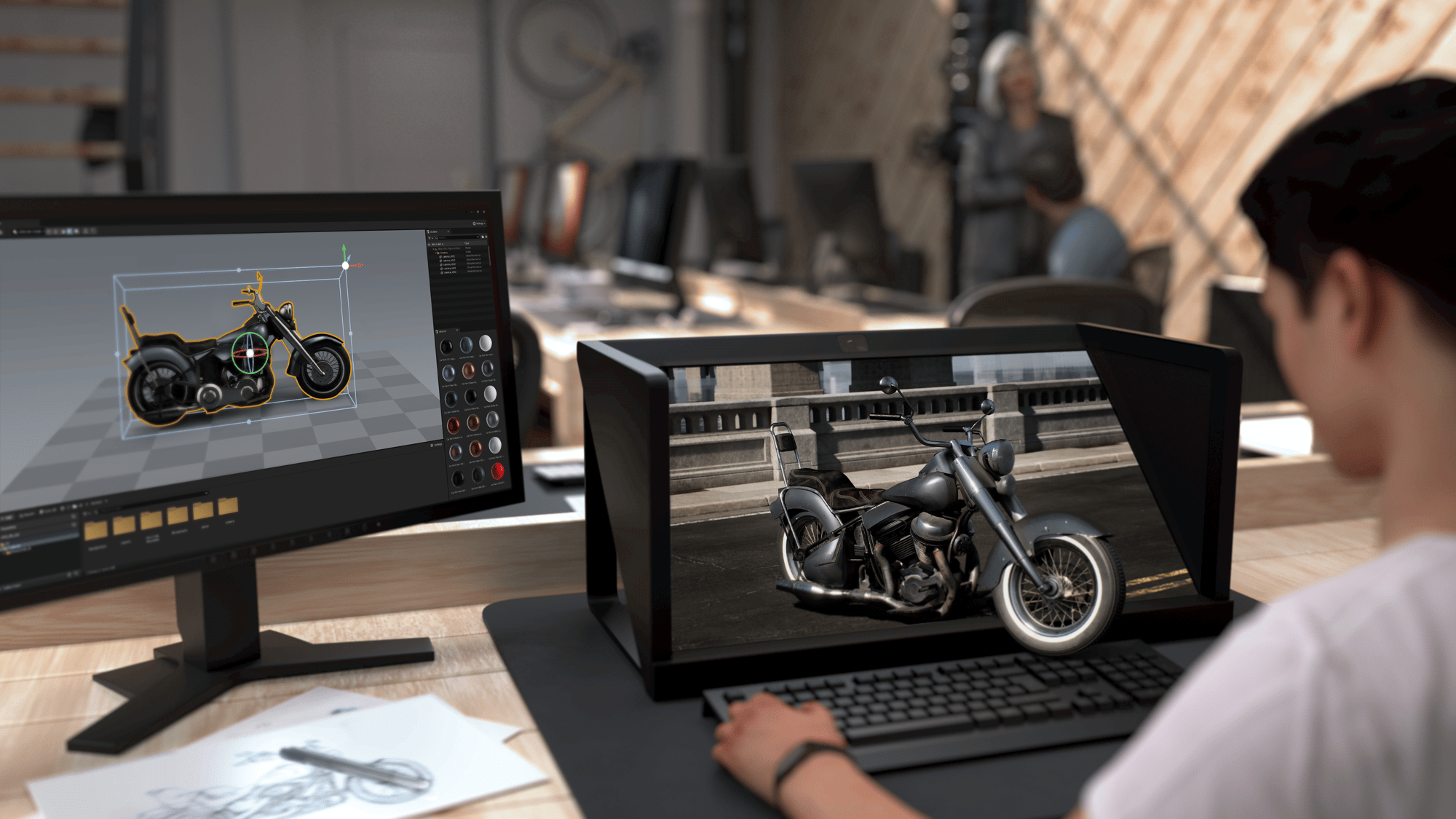
Seamless workflow construction

Tool Linkage

XYN hardware and other various XR devices and 3DCG editing tools are linked to achieve workflow efficiency in a wide range of industries.
editing_situation_a
*Image is for reference only.

Streamlining workflows in a wide range of industries

We offer implementations suitable for a variety of workflows, including video production, virtual production shooting, game development, digital twin, metaverse, and digital archiving.
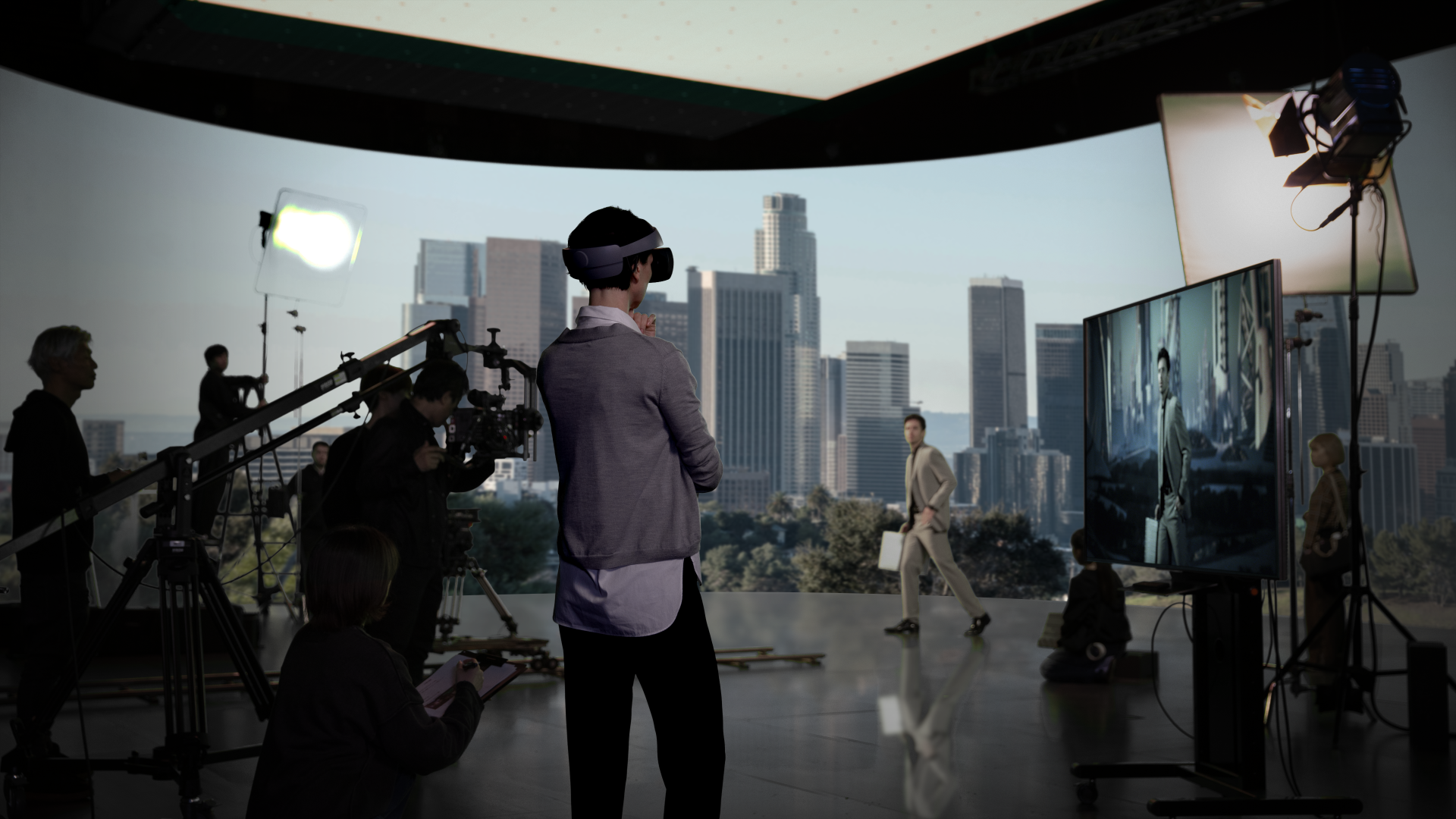
Previz_VP_Studio Review
*Image is for reference only.

Plans and Rates

Basic
mocopi PC
Powered by XYN

550 yen per month (tax included)

Capture Function

  • Motion Capture with mocopi
  • Save motion data and save video
  • Live stream of motion to Unity, Unreal Engine, Maya, Motion Builder
  • Live stream of motion to other supported services
  • mocopi Professional Mode
  • Camera blending
  • Saving in BVH and FBX formats
支払いとダウンロード

Pro
XYN Motion Studio

1,100 yen per month (tax included)

Capture Function

  • All mocopi PC features

Editing Functions

  • Timeline editing (trimming, merging)
  • Automatic generation of intermediate motion (Tween)

Data Management Functions

  • Motion upload to cloud
  • Automatic motion tagging
  • Use of Sony's motion library (tags and natural language search)
支払いとダウンロード

Premium
XYN Motion Studio

under development

Contact Us

Take your virtual production workflow to the next level.