








In this article
This article explains how to create and sign in to the account required to use the XYN Spatial capture solution applications.
*As of April 2026, this service is available for corporate customers with accounts. Contact us
*The screen images shown here are for illustrative purposes only and are subject to change.
*How to create a Google or Microsoft account with a corporate email address

Sign In to Your XYN Account
1. On the XYN app's sign-in page, select the third-party account you want to use to "Sign in."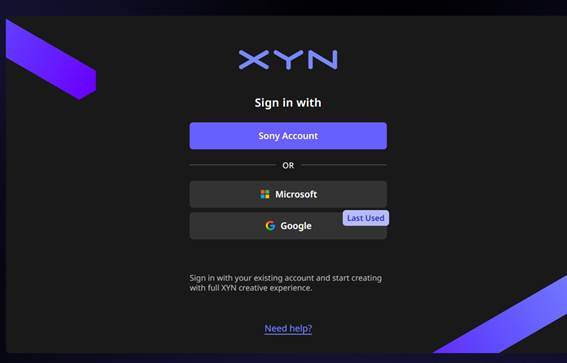
-
-
This service uses single sign-on (SSO) for login.
-
If you already have a Sony, Microsoft or Google account, you can use it.
-
If you do not have one, please create an account with one of these services in advance.
-
If you are using the service from a corporate network environment, we recommend logging in with a Google or Microsoft account.
-
2. Log in using Single Sign-On (SSO)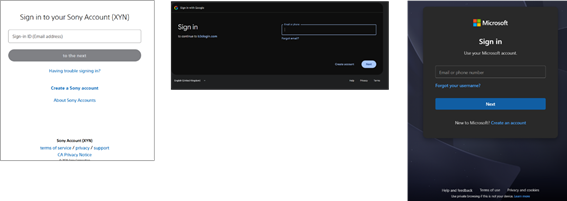
Creating an XYN Account
- Once you log in successfully, the XYN account creation screen appears (first time only)
- Register the user information required to create an XYN account.
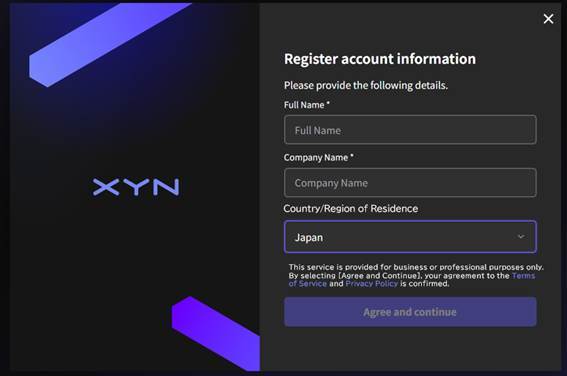
* Select your country/region of residence from the pull-down menu
* Select your country/region accurately. Choosing a country/region different from where you actually live may affect service delivery
* If your country/region is not listed, select “Other”
【Please Note】
XYN is not yet available in countries/regions listed as “Other”, so the service cannot be used there.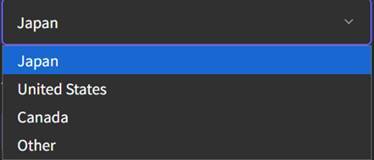
After you've finished creating your account
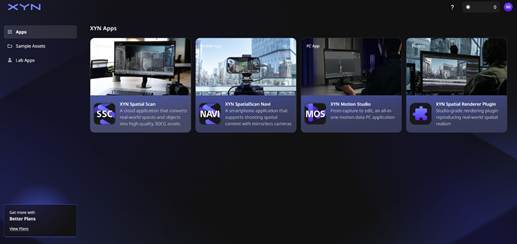
Your XYN account has been created and the XYN service screen is displayed.
From Home you can launch various apps and purchase Plans or Tokens.
How-to create a Google Account using an existing e-mail
- Go to https://google.com/accounts/NewAccount in your Web browser.
- Fill in you details
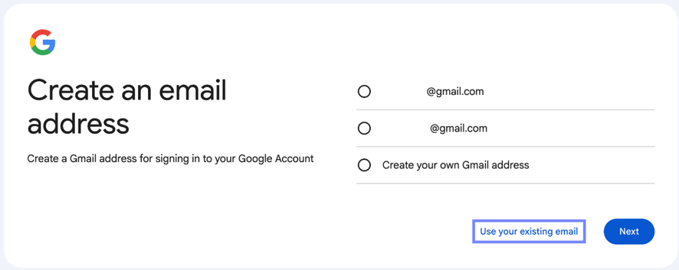
- Click “Use my current email address instead” as indicated below
- Type in your company’s email address in the “Your current email address:” field.
- Type in a password for your Google account. This must be at least eight characters in length and should include a mixture of letters and numbers. Re-enter this password in the “Re-enter password:” field.
- Select your location by clicking the drop-down menu next to “Location.”
- Follow the verification process
- Click the “I accept. Create my account” button at the bottom of the page to create your Google account with a company email address.
[Please Note]
*While creating, you might get an email related to the OTP, to your Sony Email account. Please enter the OTP when promoted
*The following steps describe Google's account creation process, which is operated and may be changed by Google at any time. XYN cannot guarantee the accuracy, availability, or behavior of Google's screens, and the exact wording/order of steps may differ from what is shown here. For the latest official instructions, please refer to Google's support page.
How-to create a Microsoft Account using an existing e-mail
- Please check the URL below.
How-to create a Microsoft Account using an existing e-mail

