
mocopi® expands the possibilities of motion capture
mocopi Professional mode and XYN Motion Studio
XYN Motion Studio でできること
手軽で表現力の高い
モーションキャプチャー
『mocopi』を用いて手軽にモーションキャプチャーが可能です。専用レシーバーを介した「プロフェッショナルモード*1」を使用することで、モーションキャプチャー精度が更に向上します。
効率的な
タイムライン編集*2
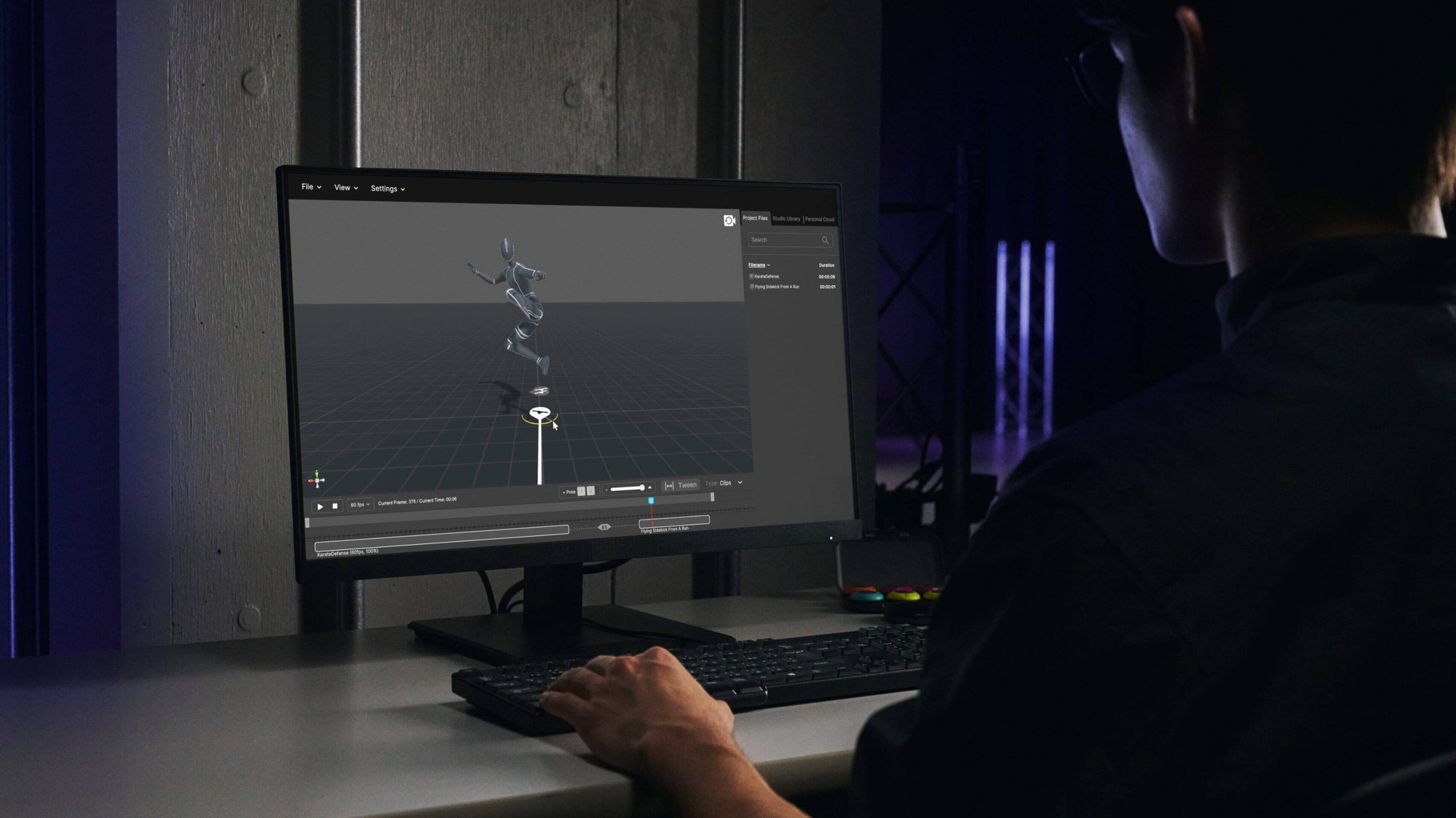
モーションデータのトリミングや合成といったタイムライン編集や、2つのモーションデータ間を滑らかに繋ぐ中間モーションの自動生成 (Tween) が可能。理想的なアニメーションを迅速に制作し、編集作業の生産性を高めます。
モーションデータの
クラウド保管と活用
キャプチャーしたモーションデータをクラウドに保管ができます。また、モーションデータへのタグ付け機能によりテキスト検索ができます。ソニーのプリセットモーションライブラリから必要なモーションをダウンロードすることも可能です。
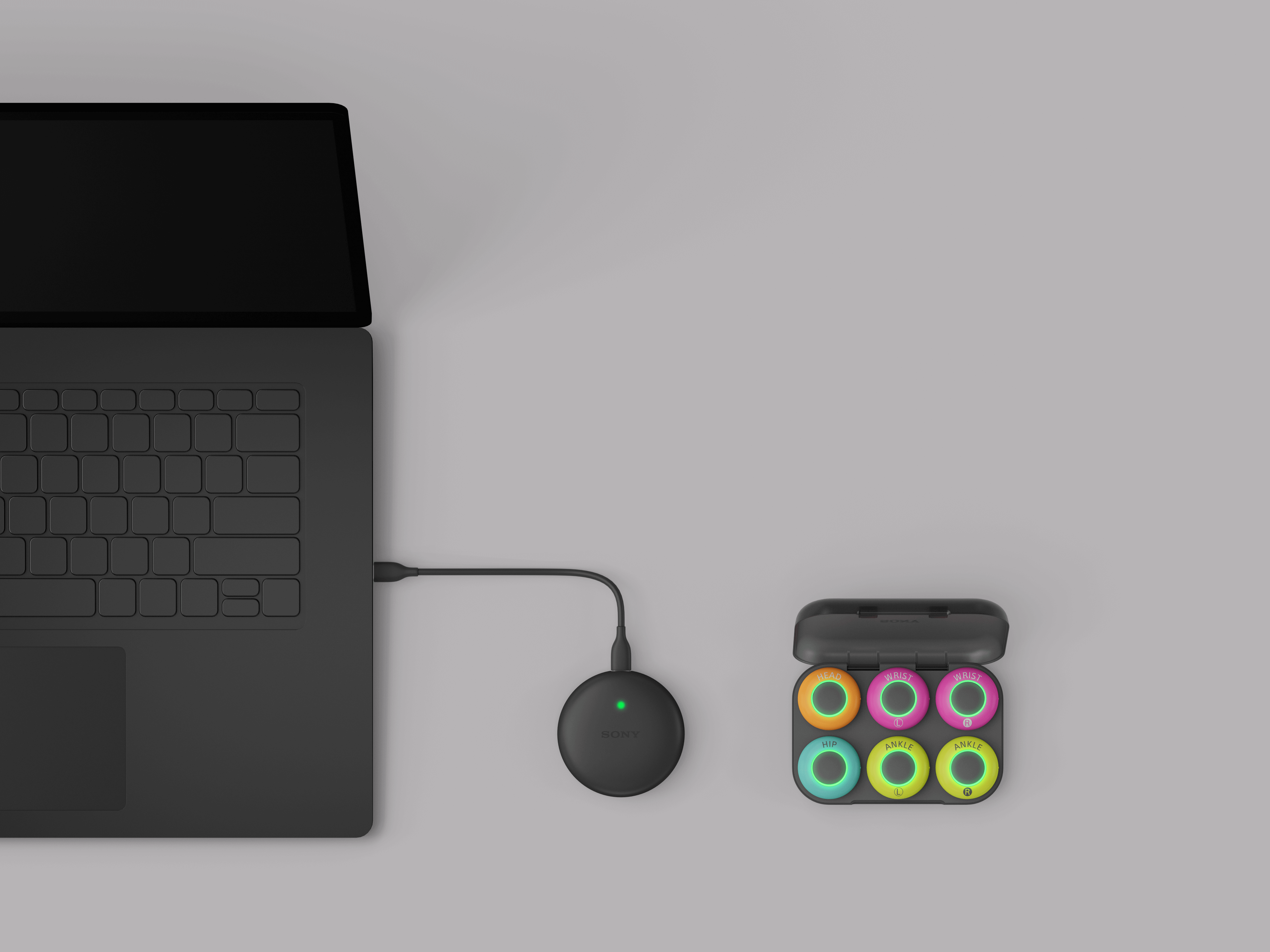
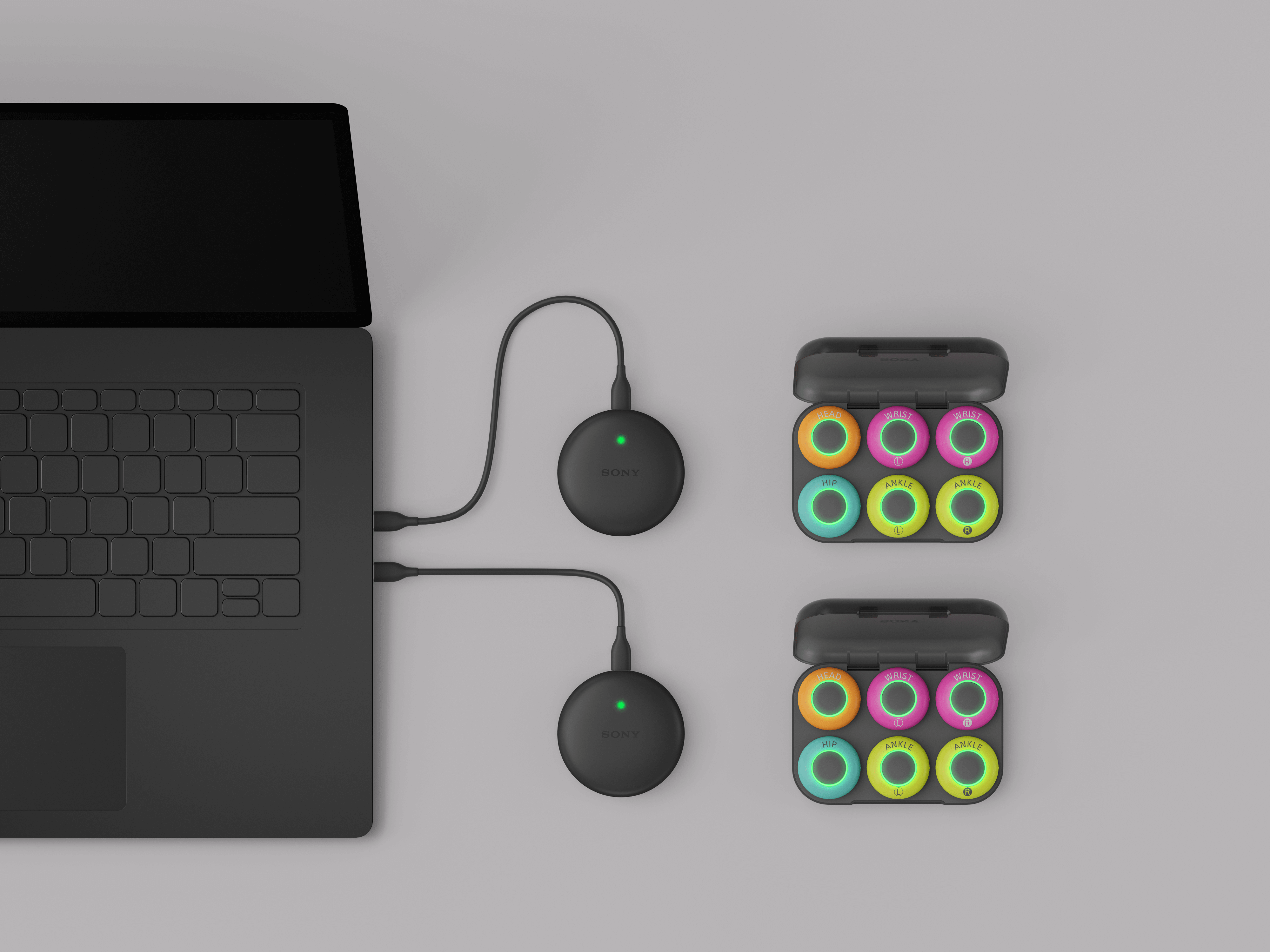
*1 プロフェッショナルモード(12点のセンサー接続)の使用には、mocopi(QM-SS1)とmocopiセンサーデータレシーバー(QM-PR1)各2セットとmocopiセンサーバンド(QM-PB1) 1セットが必要です。
*2 対応データ規格はmocopiでキャプチャーしたモーションデータのみです。mocopi以外のモーションデータは今後のアップデートで対応予定です。
Sony’s Motion Capture Solutions
Motion capture
・Easy motion capture with mocopi
・Professional mode*1
Timeline editing*2
・Trimming and compositing of motion data
・Automatic in-between motion generation (Tween)
Cloud Storage and Utilization
・Cloud storage of motion data
・Text search by tagging function
・Preset Motion Library
*1 To connect 12 sensors in Professional mode with mocopi PC app, two sets each of mocopi (QM-SS1) and Sensor data receiver for mocopi (QM-PR1) and one set of Sensor band for mocopi (QM-PB1) are required. mocopi PC app is compatible with Microsoft Windows. Network services, content, and operating system and software subject to terms and conditions and may be changed, interrupted, or discontinued at any time and may require fees, registration, and credit card information.
*2 Motion data editing is available only for motion data captured by mocopi. Motion data from sources other than mocopi will be supported in future updates.
What you can do with XYN Motion Studio
Lightweight and expressive
motion capture
Easily capture motion data using "mocopi". Further enhance accuracy by utilizing "Professional mode*1" through a dedicated receiver.
Efficient motion data
timeline editing*2
The motion data timeline editing and automatic in-between motion generation (Tween) functions allow the user to quickly produce ideal animations and edit with increased productivity.
Cloud-based
motion data utilization
Captured motion data can be saved in the cloud. The tagging feature enables efficient text search within the motion data. Additionally, download necessary motions from Sony’s Preset Motion Library for enhanced creativity and convenience.
*1 To connect 12 sensors in Professional mode with XYN Motion Studio and the mocopi PC application, two sets each of mocopi (QM-SS1) and Sensor data receiver for mocopi (QM-PR1) and one set of Sensor band for mocopi (QM-PB1) are required. mocopi pc app and XYN Motion Studio is compatible with Microsoft Windows. Download app at Microsoft Store. Network services, content, and operating system and software subject to terms and conditions and may be changed, interrupted, or discontinued at any time and may require fees, registration, and credit card information.
*2 Motion data editing is available only for motion data captured by mocopi. Motion data from sources other than mocopi will be supported in future updates.
%207.jpg?width=568&height=369&name=Professional%20mode(12%20sensor%20connection)%207.jpg)
Motion Capture with mocopi®.
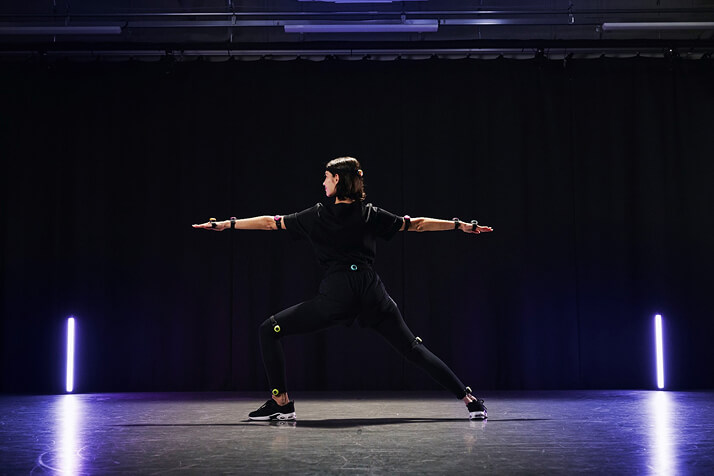
Motion capture can be easily performed anywhere by simply attaching the lightweight and compact "mocopi" sensor. It is easy to set up and can record even in a small space such as a conference room. You can start motion capture whenever you feel like it.
Give shape to your ideas
Motion Capture Tools
The combination of Sony's mocopi® motion capture sensor and XYN Motion Studio makes it possible to easily and expressively capture motion anywhere.
Easy setup allows recording even in a small space such as a conference room. You can start motion capture whenever you feel like it.

mocopi professional mode
Depending on the production environment and application, you can select either 6-point sensor connection or "Professional Mode (12-point connection).
Professional mode allows for more expressive motion capture.
More expressive
Professional Mode
Depending on the production environment and application, either 6-point sensor connection or "Professional Mode (12-point connection)" can be selected.
Professional mode allows for more expressive motion capture.
Easy Motion Capture with mocopi
Easy integration withotherPCsoftware
Created motion datacan be saved inBVHandFBXformats. Created motion data and video datacan be used withvideo editing, distribution support software,3DCGediting software,etc.

*Transmission of motion requires themocopi Receiver Pluginora service with themocopi Receiver Pluginembedded.
Timeline editing of motion data*.
Timeline editing of motion data, such as trimming and compositing, and automatic interpolation (tweening) to smoothly join two or more motions are available.
Easy and AccurateMotion Capture
Motion capture can be easily performed using " mocopi ".

What are the features and functionality of XYN Motion Studio
Other Features and Functions
Easy Motion Capture with Greater Accuracy
XYN Motion Studio*1 enables easy motion capture using "mocopi," a motion capture device that allows full body tracking by simply attaching six small sensors. The "professional mode" (12 sensors connected)*2 and "camera blending*3" via a dedicated receiver can be used to further improve motion capture accuracy.
Efficient
Motion Data Editing
In addition to motion data editing functions, an automatic interpolation (tweening) function that smoothly joins two or more motions together allows the user to quickly create ideal animations and realize an editing process with increased productivity.
Cloud-based
Motion Data Utilization
Cloud functionality and automatic motion tagging enhance convenience when managing and utilizing motion data.
手軽なモーションキャプチャーをより精度高く
XYN Motion Studio*1では、6つの小型センサーを装着するだけでフルボディトラッキングできるモーションキャプチャー『mocopi』を用いて、手軽なモーションキャプチャーが可能です。専用レシーバーを介した”プロフェッショナルモード”(12個のセンサー接続)*2や”カメラブレンディング機能*3を使用すれば、モーションキャプチャー精度の更なる向上も実現します。
効率的な
モーションデータ編集
モーションデータの編集機能に加え、2つ以上のモーションを滑らかに繋ぐ自動補間(トゥイーニング)機能を利用することで、理想的なアニメーションを迅速に制作し、生産性を高めた編集作業を実現します。
クラウドによる
モーションデータ活用
クラウド機能やモーション自動タグ付け機能により、モーションデータの管理と活用時の利便性を高めます。
Products related to Sony's Motion Solutions
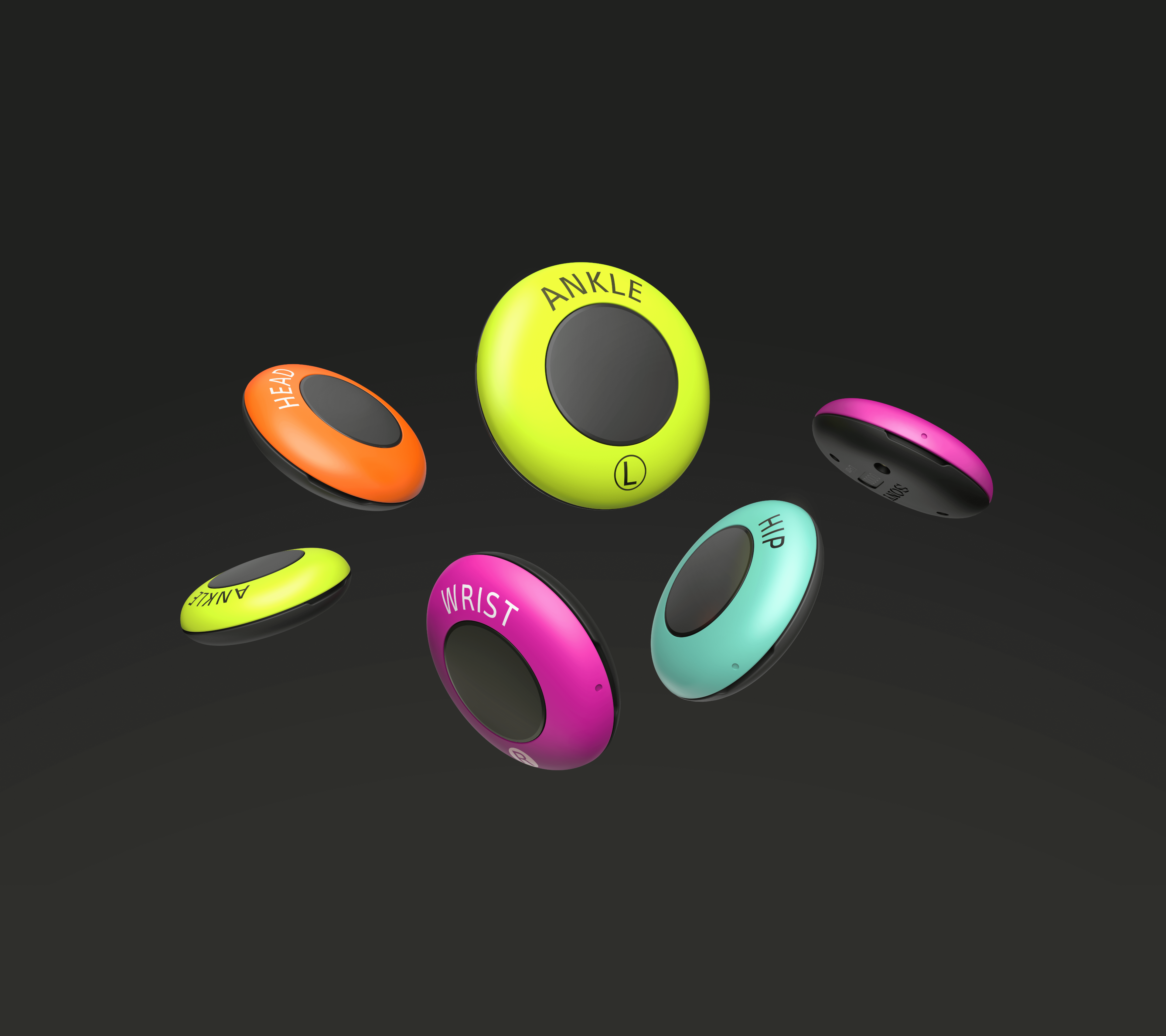
Motion capture system for easy, 3D, full body tracking anywhere
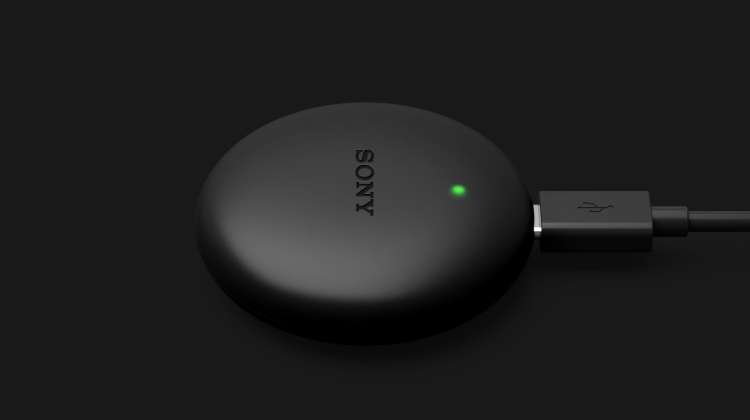
Dedicated receiver for direct connection between mocopi and PC
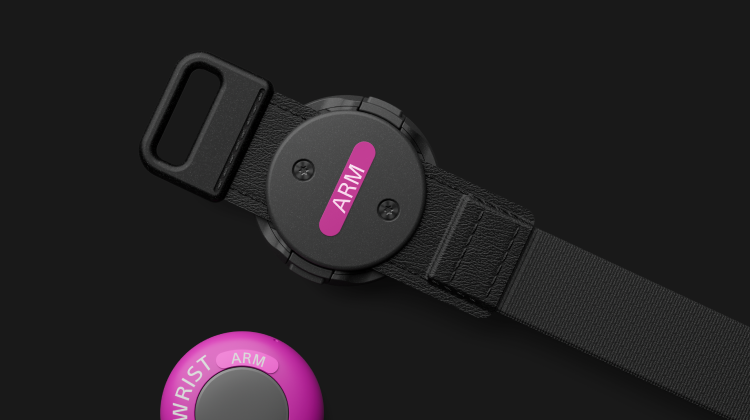
Sensor band exclusively for mocopi
What is XYN Motion Studio?
XYN Motion Studio app* is an integrated application leveraging "mocopi®", a motion capture tool. Supporting capture, timeline editing, and utilization, XYN Motion Studio app streamlines the production process by making motion production easier.
*XYN Motion Studio app is compatible with Microsoft Windows. Download XYN Motion Studio app at Microsoft Store. Network services, content, and operating system and software subject to terms and conditions and may be changed, interrupted, or discontinued at any time and may require fees, registration, and credit card information.
Easy and Accurate
Motion Capture
Motion capture can be easily performed using "mocopi".
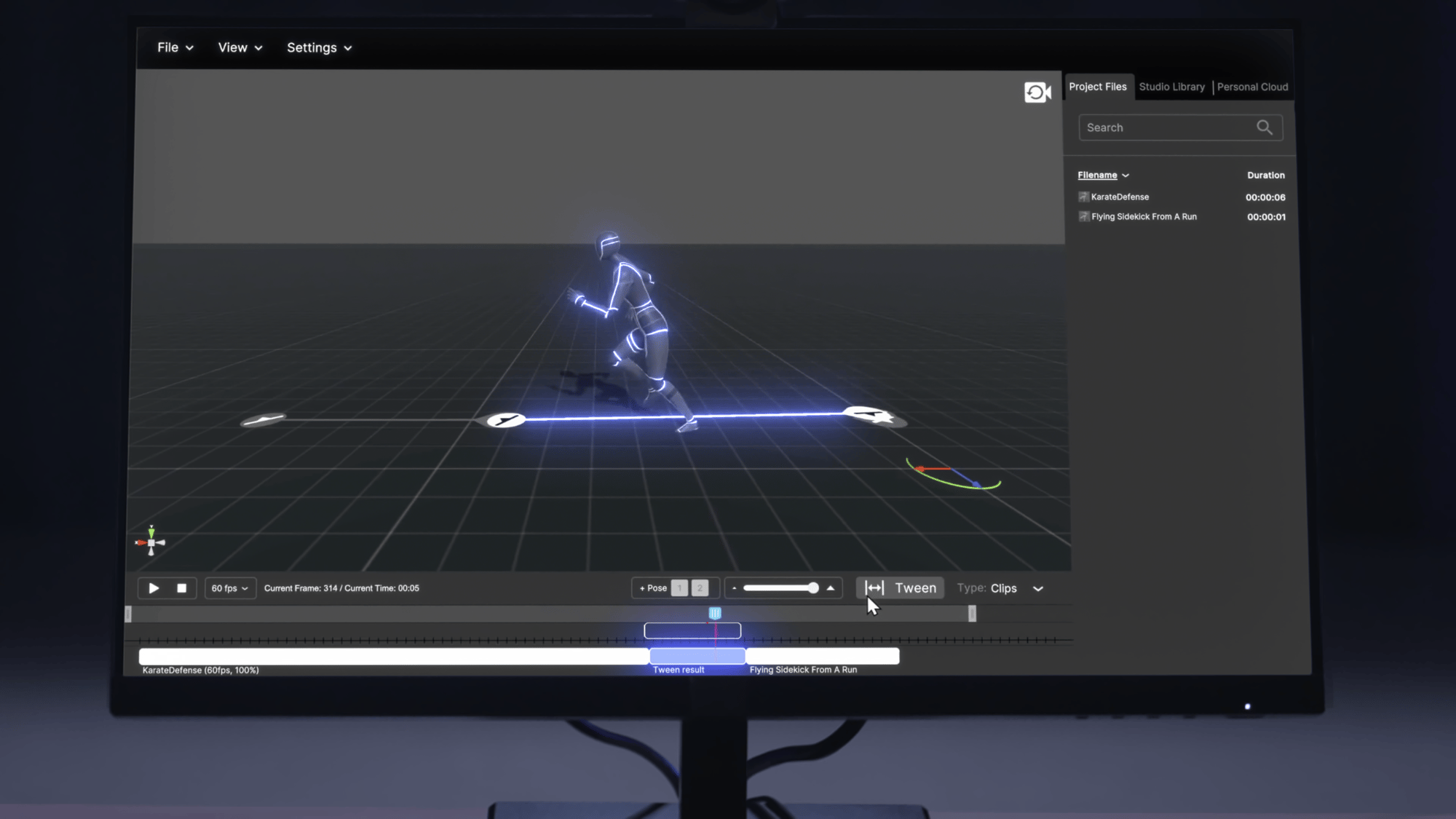
timeline editing* of motion data
Timeline editing such as trimming and compositing of motion data, and automatic interpolation (tweening) to smoothly join two or more motions are available.
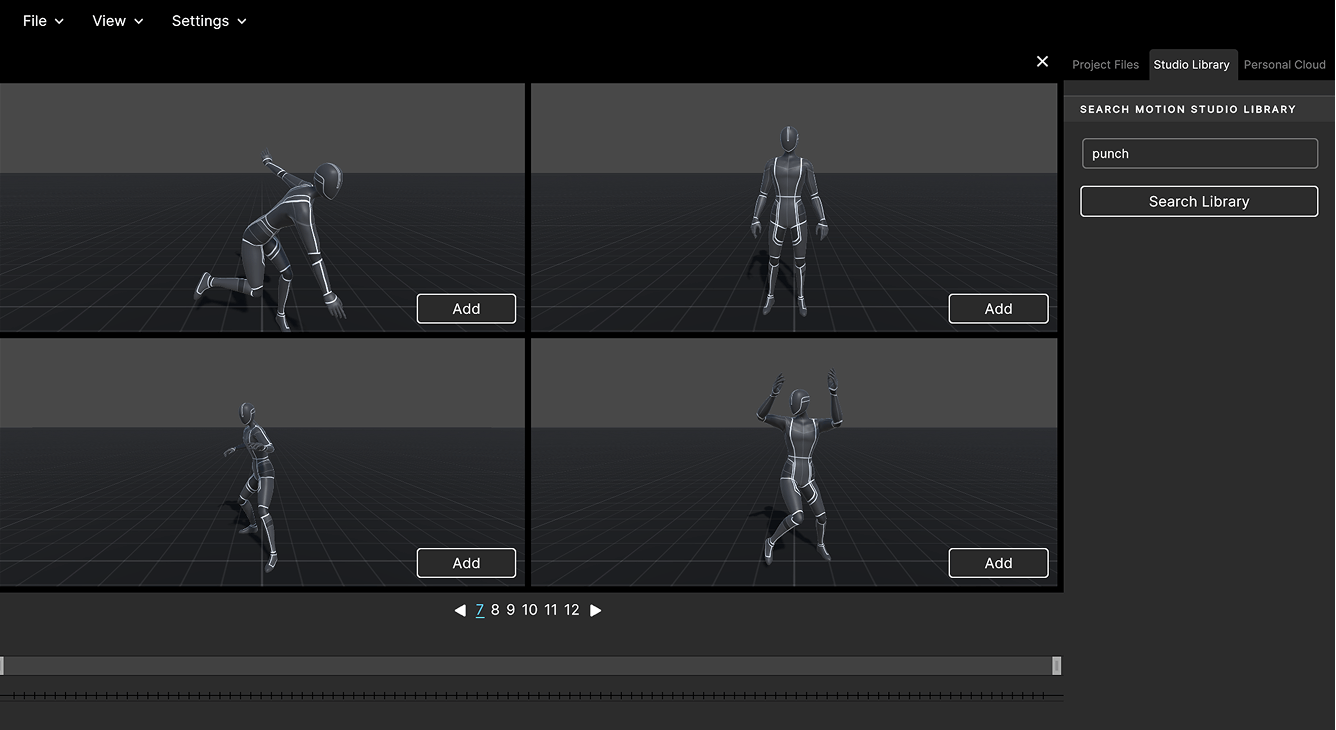
Cloud Storage and Utilization ofMotion Data
Motion data can be stored in the cloud and utilized for text search by utilizing the auto-tagging feature.

Timeline Editing of Motion Data*.
Timeline editing of motion data, such as trimming and compositing, and automatic interpolation (tweening) to smoothly connect two or more motions are available.
Timeline Editing
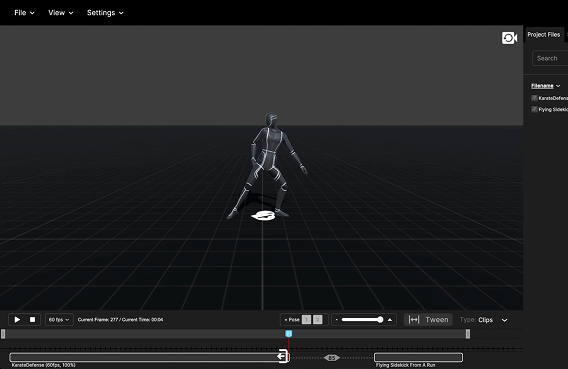
Timeline editing such as trimming and synthesis of motion data is available. The edited motion data can be used with a wide range of industry standard editing tools. BVH and FBX motion files are supported.
* The UI and specifications of the screen on the left are subject to change or update in future software updates.
“Tween” function
(Automatic in-between motion generation)
Automatically generates motion between two pieces of motion data using Sony’s unique algorithm.
* The UI and specifications of the screen on the left are subject to change or update in future software updates.
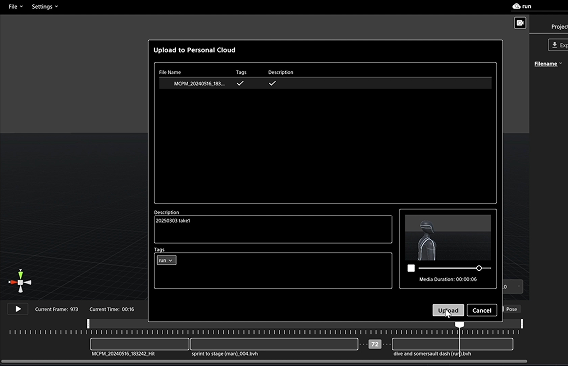
Cloud storage of motion data and tagging function
The created motion data can be uploaded to the cloud for storage, where the unique algorithm automatically analyzes and tags the data, allowing text search using a tagging function.
* The UI and specifications of the screen on the left are subject to change or update in future software updates.
Cloud Storage and Utilization ofMotion Data
Storing motion data in the cloud and utilizing the automatic tagging feature enables text searches.
Cloud Storage and Utilization ofMotion Data
Storing motion data in the cloud and utilizing the automatic tagging feature enables text searches.
Plans and Price
For Motion Solution application like the mocopi PC app and XYN Motion Studio app, you can pick a monthly or yearly payment plan. Check out Payment and Downloads for details.
Basic
mocopi PC app
Powered by XYN
Capture Function
- Motion Capture with mocopi
- Save motion data and save video
- Live stream of motion to Unity, Unreal Engine, Maya, Motion Builder
- Live stream of motion to other supported services
- mocopi Professional Mode
- Camera blending
- Saving in BVH and FBX formats
Pro
XYN Motion Studio app
Capture Function
- All mocopi PC app features
Editing Functions
- Timeline editing (trimming, merging)
- Automatic Interpolation (Tweening)
Data Management Functions
- Motion upload to cloud
- Automatic motion tagging
- Use of Sony's motion library (tags and natural language search)
Cooperation with Other Services
Created motion data and video data can be used with video editing, distribution support software, 3DCG editing software, etc. By introducing motion data into existing workflows, content creation using motion can be streamlined from pre-visualization to full production.
.png?width=1060&height=363&name=Group%20408%20(1).png)
*1 Two sets of mocopi and mocopi sensor data receivers and one set of dedicated bands are required to connect 12 sensors using professional mode in XYN Motion Studio and mocopi PC application.
*2 XYN Motion Studio supports both mocopi (6-point sensor connection) and professional mode (12-point sensor connection).
*3 Plug-in is required for transmission only.
Easy and Accurate
Motion Capture
Motion capture can be easily performed using "mocopi".
timeline editing* of motion data
Timeline editing such as trimming and compositing of motion data, and automatic interpolation (tweening) to smoothly join two or more motions are available.
Cloud Storage and Utilization ofMotion Data
Motion data can be stored in the cloud and utilized for text search by utilizing the auto-tagging feature.
Cooperation with other services
Created motion data and video data can be used with video editing, distribution support software, 3DCG editing software, etc. By introducing motion data into existing workflows, content creation using motion can be streamlined from pre-visualization to full production.
.png?width=390&height=993&name=%E3%82%B0%E3%83%AB%E3%83%BC%E3%83%97%2021%20(1).png)
*1 Two sets of mocopi and mocopi sensor data receivers and one set of dedicated bands are required to connect 12 sensors using professional mode in XYN Motion Studio and mocopi PC application.
*2 XYN Motion Studio supports both mocopi (6-point sensor connection) and professional mode (12-point sensor connection).
*3 Plug-in is required for transmission only.
Easy and Accurate
Motion Capture
Motion capture can be easily performed using "mocopi".
timeline editing* of motion data
Timeline editing such as trimming and compositing of motion data, and automatic interpolation (tweening) to smoothly join two or more motions are available.
Cloud Storage and Utilization ofMotion Data
Motion data can be stored in the cloud and utilized for text search by utilizing the auto-tagging feature.
XYN Motion Studio Product Video
Main Cooperation Services
Easy and Accurate
Motion Capture
Motion capture can be easily performed using "mocopi".
timeline editing* of motion data
Timeline editing such as trimming and compositing of motion data, and automatic interpolation (tweening) to smoothly join two or more motions are available.
Cloud Storage and Utilization ofMotion Data
Motion data can be stored in the cloud and utilized for text search by utilizing the auto-tagging feature.
game engine

3D editing software

Tracking
Solutions