






Steve Teeple (better known as Teeps) is a digital artist focused on imaginative character work and immersive worlds. With extensive experience in 3D character development, digital sculpting, and art direction, he brings an expansive skillset that supports nearly every stage of the 3D pipeline. His professional background spans work with major clients in music, games, film, fashion, and tech.
Quote: "I have extensive experience working with a wide range of mocap solutions, constantly testing new tools to enhance my workflow. ‘Flow state’ is important to my creative process, so seeking out tools that don't break that rhythm is important to me. From character development, design, to final animation, I try to integrate motion capture technology into as many steps of my pipeline as I can." - Steve Teeple
Quote: "I always try to blend cutting-edge motion capture systems with character-driven workflows—testing the latest tools to bring ideas to life from first sketch to final animation." - Steve Teeple
The Challenge
Teeps needed a streamlined motion capture solution that fit a solo workflow. His goal was to quickly record a wide range of animations to build a personal mocap library, retarget motion to his custom IK/FK rigs, and clean up takes without relying on studio-scale pipelines. Working independently, speed and flexibility were critical, especially the ability to stream motion live into Blender and edit directly on a timeline.
The Solution
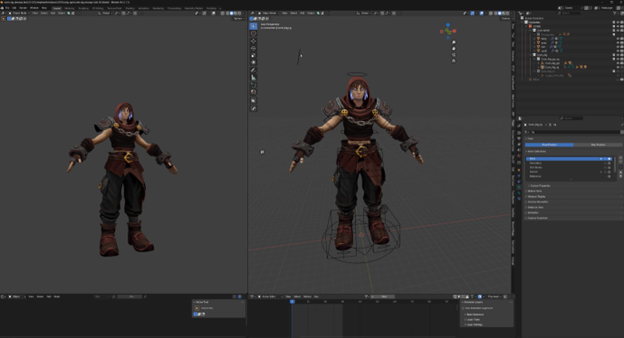
With the mocopi Professional mode and Sony’s XYN Motion Studio, Teeps established a complete end-to-end animation pipeline. Using the 12-sensor mocopi Professional mode* setup with foot-priority tracking, he captured full-body motion and streamed his movements directly into Blender via mocopi Receiver Plugin for Blender. Motion was exported as FBX and retargeted to his custom rigs, while cleanup and tweening were handled using XYN Motion Studio, enabling rapid iteration, solo operation, and high-quality results without leaving his creative environment.
Quote: “I dropped in my rig, assigned the bones, configured a couple network settings, clicked connect, and my character moved with me. With some back and forth with the engineering team, we worked to refine the tool together.” - Steve Teeple
Quote: “ ‘Tweening’ between takes in XYN Motion Studio saved me so much time. Normally, I’d have to manually keyframe a lot of that. Here, I just clicked a button, and it gave me usable blends between clips without having to animate it all from scratch.” - Steve Teeple
.gif?width=900&height=506&name=archer_rig_mocap_edit_jump%20(1).gif)
The Result
Teeps now uses mocopi Professional mode as part of his character ideation and motion-blocking workflow. Whether animating directly in Blender or editing takes in XYN Motion Studio, he’s found a pipeline that matches both his speed and style.
Quote: "mocopi Pro lets me perform, experiment, and refine without breaking my creative flow or stepping away from the tools I work best in." - Steve Teeple
Footnote:
*Two sets of mocopi main unit, two QM-PR1 receivers and one pair of QM-PB1 bands are required to connect 12 sensors mode. When connecting 12 sensors in professional mode with XYN Motion Studio and mocopi PC application, 2 sets each of "mocopi" and sensor data receiver (QM-PR1) and 1 band (QM-PB1) are required.
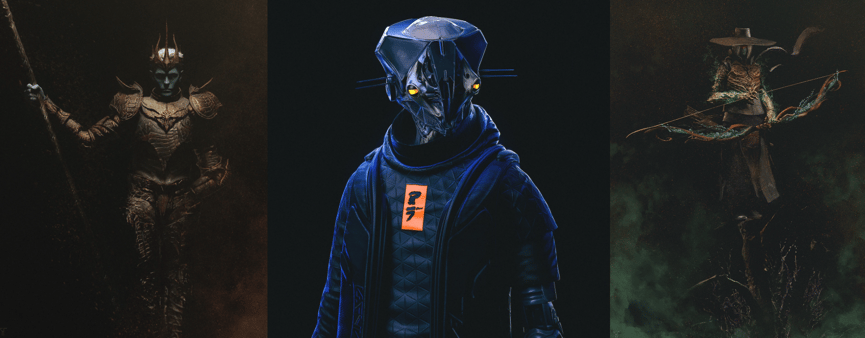
Samples of character creation using mocopi


Related product
-jpg.jpeg?width=3840&height=1193&name=Group%207597%20(1)-jpg.jpeg)