









In this article
How to combine XYN spatial capture solution and Disguise for your workflow.
Overview
3DCG assets generated with XYN Spatial capture solution can be incorporated into virtual production and XR production workflows by combining them with Disguise. These assets, based on captured real-world spaces, can be integrated into the Disguise environment via Unreal Engine and used for LED wall display with consistent, high-quality results.
By creating assets with XYN and operating them in Disguise, you can maintain a consistent workflow from content creation through on-site deployment. This is especially well suited to projects that use backgrounds based on real locations or that require content to be prepared in a short timeframe.
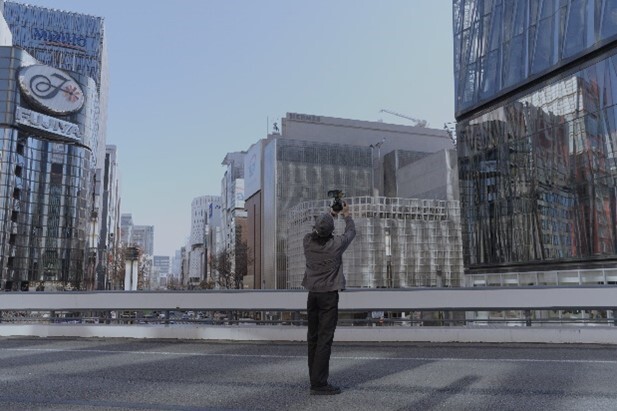
Capture the real world and generate 3DCG assets
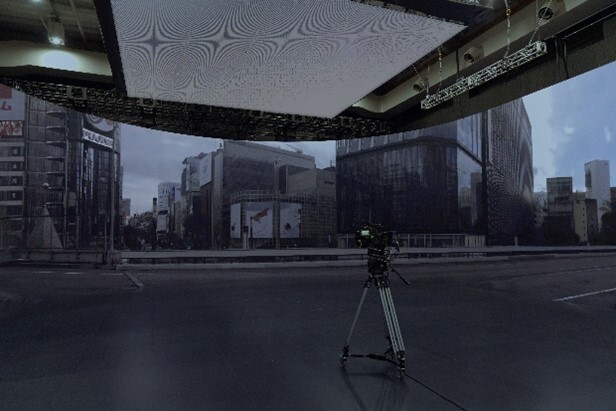
Capture the real world and generate 3DCG assets
Using XYN with Disguise
Supported Disguise Solutions
-
Director: GX 3, GX 3+, VX 3, VX 4+
Note: While any VX or GX server is compatible, complex scenes may encounter bandwidth limitations due to the 25 Gb network interface card. -
Renderer: RX III
-
Disguise Designer: r32.3.3 or later
Supported Unreal Engine Versions: 5.4, 5.5, 5.6
For instructions on how to use the XYN Spatial Renderer Plugin, please refer to the XYN support page .
For instructions on how to configure and use RenderStream, please refer to the Disguise support page .
Benefits of Integration
Accelerating Content Creation and Deployment
The XYN Spatial capture solution efficiently converts real-world spaces into 3DCG assets, reducing the workload required to create background content for XR and virtual production. In the past, creating spatial content required substantial time and cost for 3D modeling, texture creation, and related tasks. By capturing real locations, assets can be produced quickly, improving efficiency and shortening production timelines. In addition, when combined with Disguise, these assets can be deployed more smoothly in actual virtual production environments, enabling a workflow designed for on-site use.
Expanded Use of Real-Location Content
Because real urban spaces, buildings, and indoor environments can be incorporated as background assets, the use of content based on real locations in XR stages and large-scale LED productions can be significantly expanded. This makes it easier to bring a wider variety of spatial environments into productions, including environments that were previously difficult to prepare because of cost constraints.
Integration into LED Wall Operations
By using Disguise, video synchronization and display operations can be managed in on-site environments that include multiple devices. When combined with the XYN Spatial Renderer Plugin, assets generated with XYN can be incorporated more easily into workflows for LED wall display.
What Is Disguise?
Disguise is a global technology company driving the next dimension of entertainment. One powerful ecosystem of software, hardware and services offering an end-to-end solution for visual experiences across virtual production, broadcast, live events and immersive experiences. When integrated with real-time content engines such as Unreal Engine, Disguise's industry-leading Designer software allows users to comprehensively manage LED wall displays, rendering and system control, with playback through high performance media servers.
At filming locations and event venues, multiple video outputs must be operated and equipment must be synchronised reliably. Disguise provides the hardware, software and services required to meet these needs, and is used as a foundation for high quality visual productions at any scale.
For more information, see here.


