







In this article
The steps to start generating 3DCG assets with XYN Spatial Scan.
*As of April 2026, this service is available for corporate customers with accounts. Contact us
*The screen images shown here are for illustrative purposes only and are subject to change.
What is XYN Spatial Scan?
XYN Spatial Scan is a cloud application that transforms multiple photographs into high-quality 3DCG assets of real-world spaces. Using Sony's proprietary algorithms, it precisely estimates the shape and texture of subjects, reproducing them as production-quality 3DCG assets. No complex setup is required; generation is possible with just a few clicks.
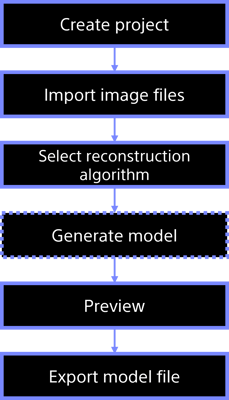
Workflow from Capture to Generation
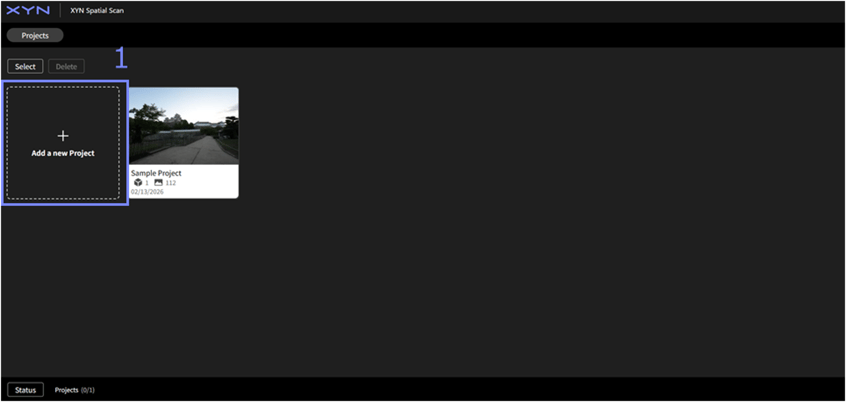
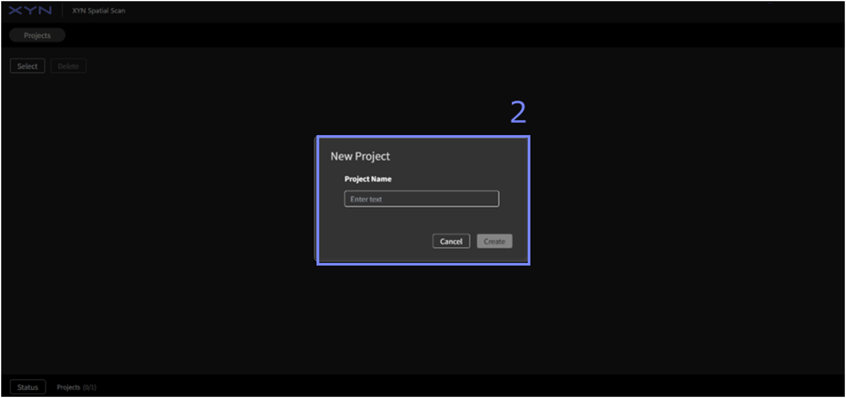
Create a project
- Click 'Add New Project’
- Enter the project name and create a new project.
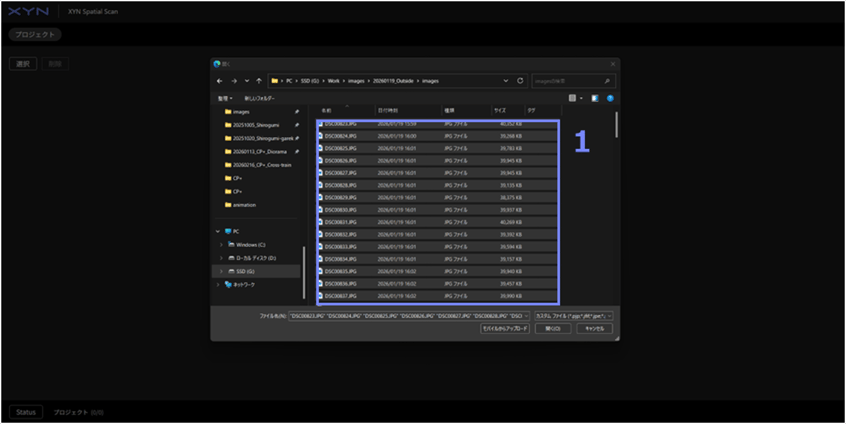
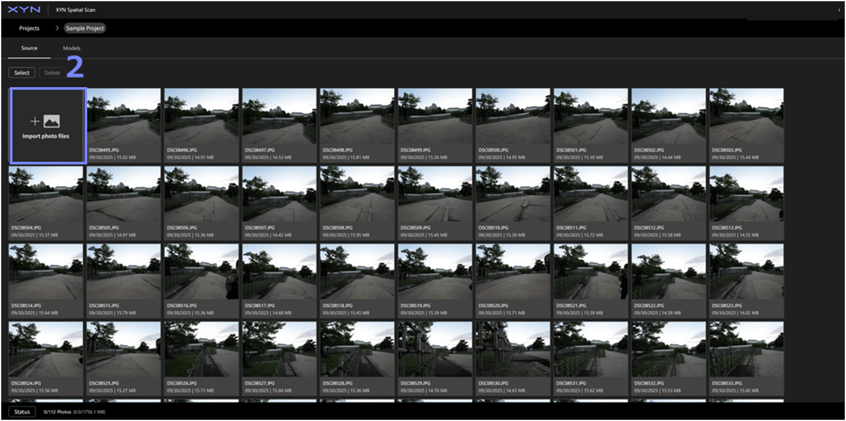
Import image files
- Select the image files to use as sources and start importing them.
- If you add more image files, click “Import image files” in the upper left to load the additional files.
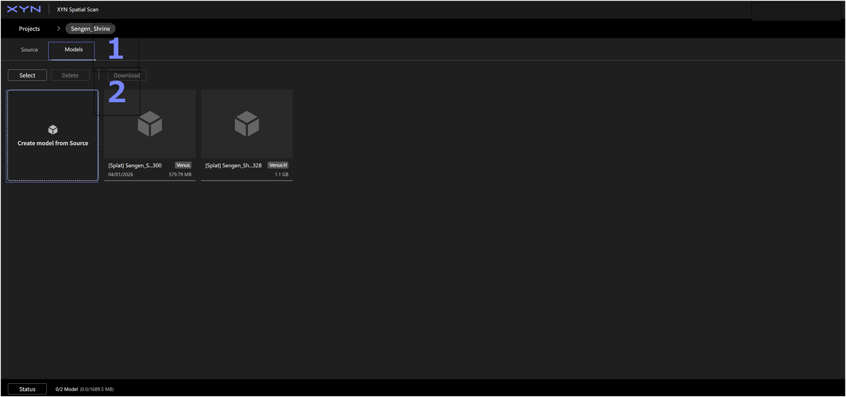
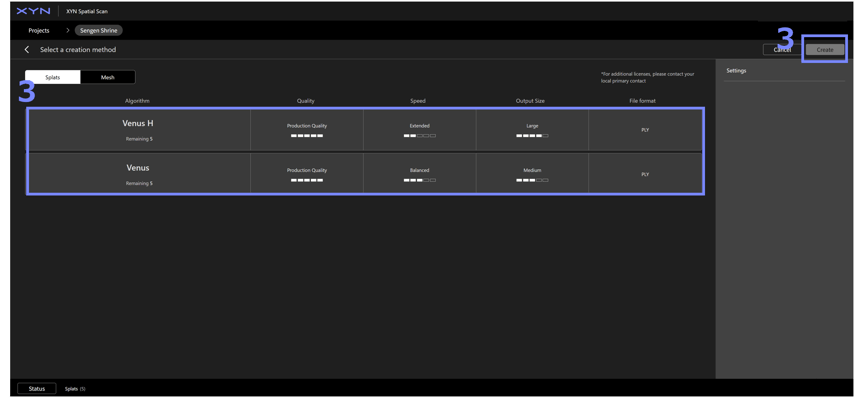
Select reconstruction algorithm
- Go to the Models tab.
- Select "Create model from Source".
- Select the reconstruction algorithm and press 'Create' in the top-right corner to start model reconstruction.
- After a certain period of time, the model will be created.
Tips: How to choose and configure a reconstruction algorithm
Preview model
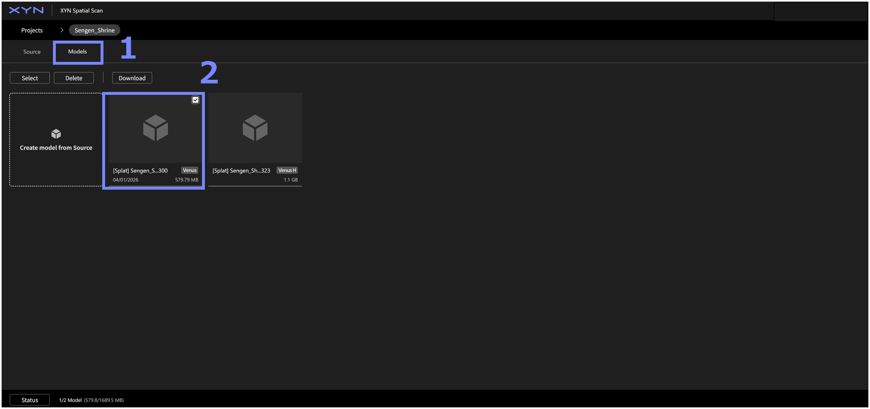
- Go to the Models tab.
- Select a created model.
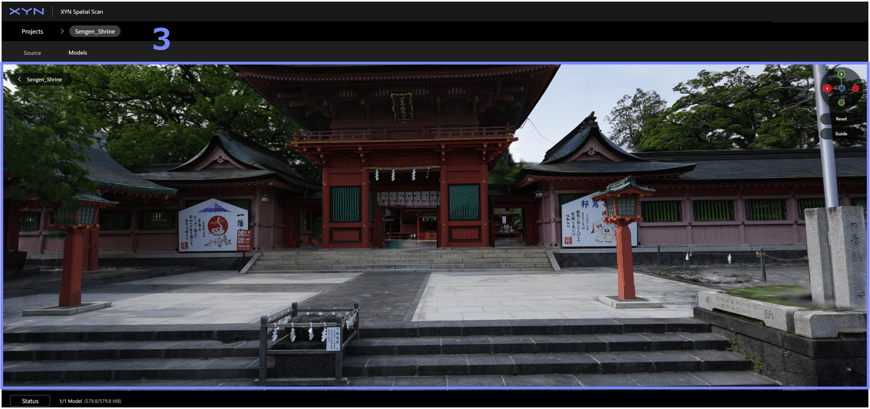
- Preview model
Navigate the screen with mouse
-
Orbit: Drag with the left mouse button
-
Pan: Drag with the right (or middle) mouse button
-
Zoom: Rotate the mouse wheel
-
Alight: Click X, Y, Z of the Gizmo
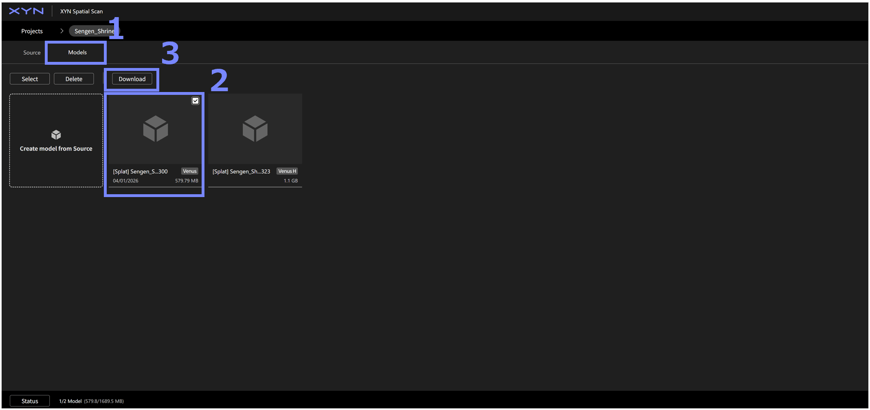
Download model
- Go to the Models tab.
- Select the model to be downloaded.
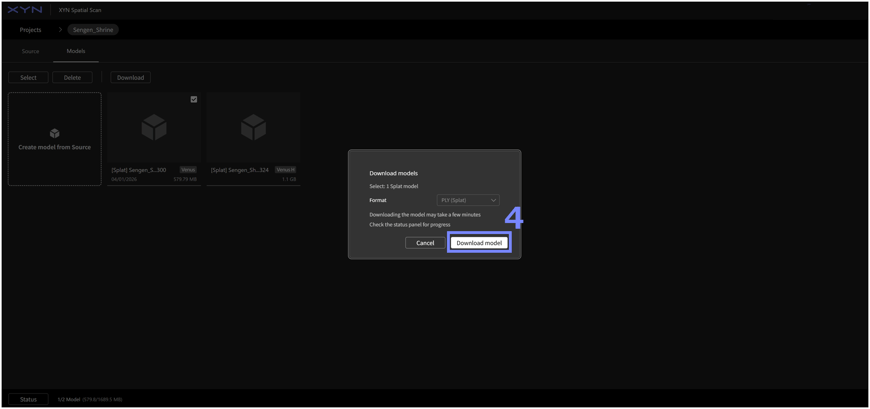
- Click Download.
- Select download model format and press “Download model”.