








In this article
This section describes the basic operations and screen functions of XYN Spatial Scan.
*As of April 2026, this service is available for corporate customers with accounts. Contact us
*The screen images shown here are for illustrative purposes only and are subject to change.
Screen Descriptions
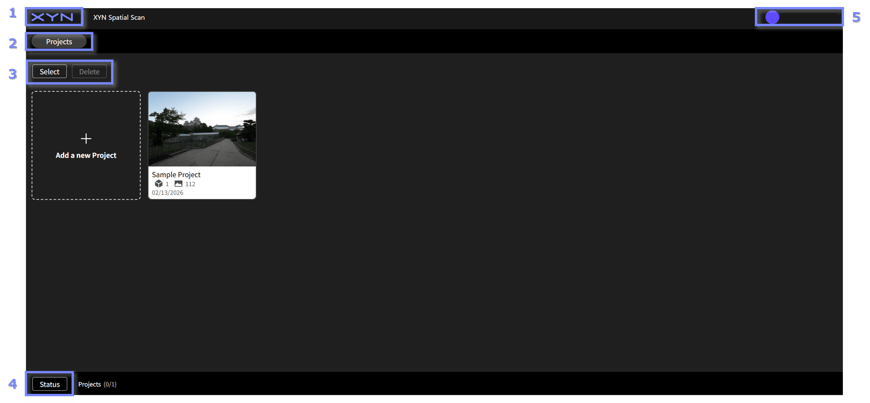
Application TOP
-
Home:Link to the XYN Home app displaying the list of applications.
-
Projects:Displays a list of projects created with XYN Spatial Scan.
- Select/ Delete projects:Allows you to select or delete any project from the list.
- Status:Displays various statuses, including the remaining processing time and the download status of generated data.
- Account:Navigates to the profile page of your XYN account.
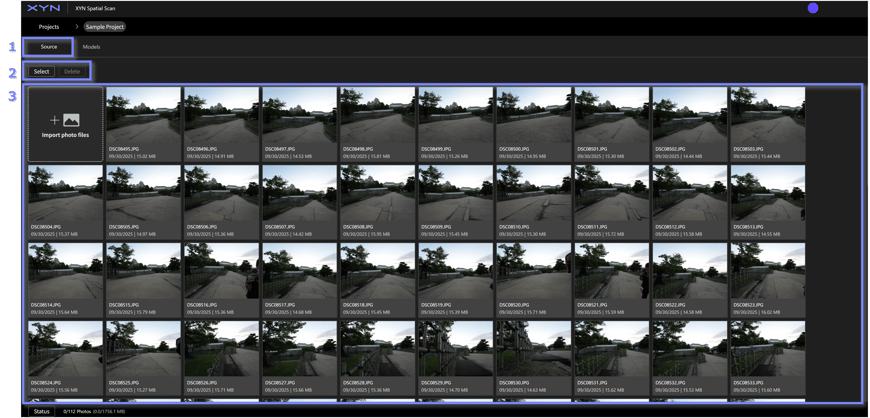
Image Import
-
Source:Displays the image data imported into the project.
-
Select/ Delete image files:Allows you to select or delete any image data from the list.
-
Imported image files:Displays a list of all image data that has been imported.
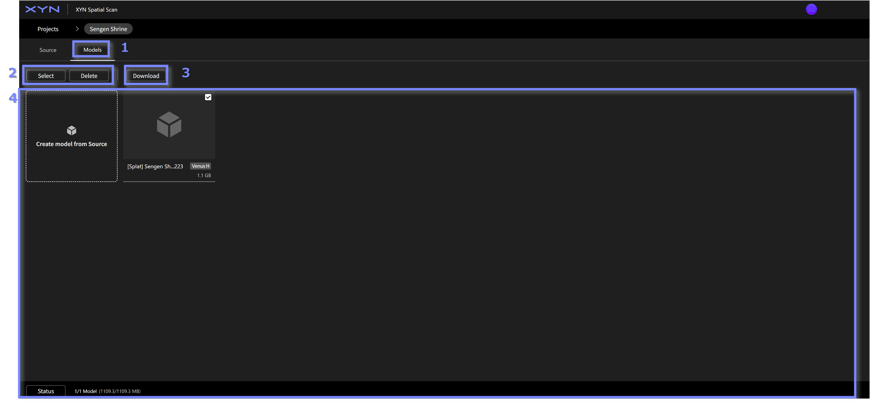
Generated Model Selection/Deletion/Download
-
Models:This screen allows you to generate 3D CG assets based on imported image data or review the generated data.
-
Select/ Delete models:Allows you to select or delete any generated 3D CG asset.
-
Download:Allows you to select or delete any generated 3D CG asset.
- Created models:Displays a list of all generated 3D CG assets. You can also navigate to the asset generation screen via "Create model from Source".
Generation Algorithm Selection/Setting
-
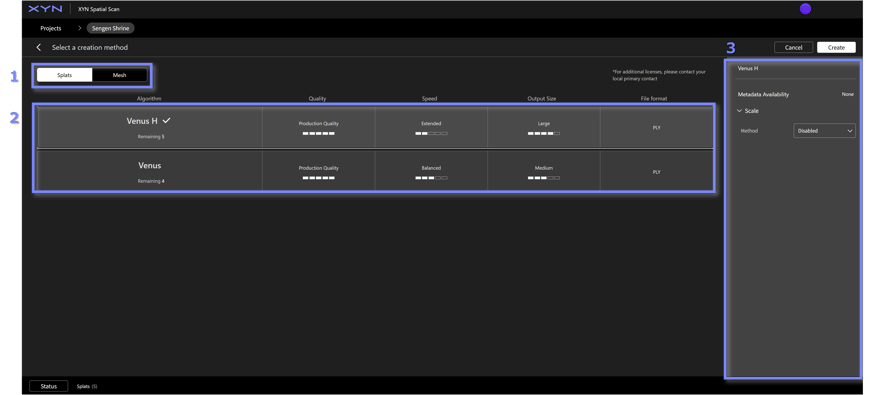
Create Splats/ Create Mesh:Allows you to select the generation method for the 3D CG asset.
-
Generation Algorithm:Allows you to select from the proprietary generation algorithms provided by XYN.
-
Generation Algorithm Setting:Allows you to review and adjust the settings required for generation.
Preview
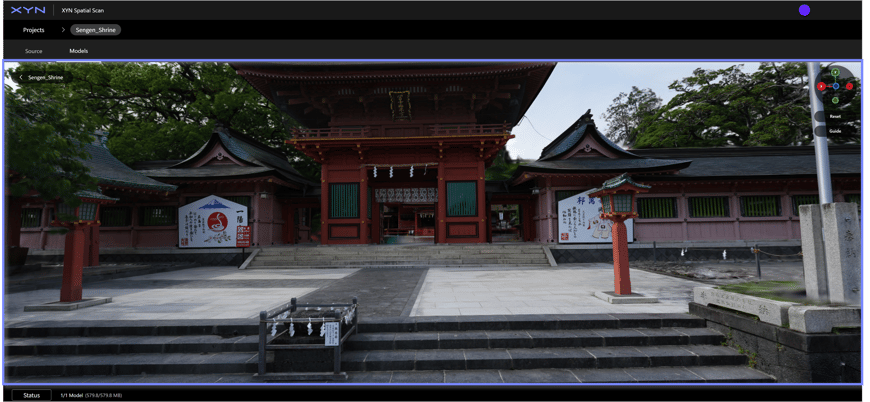
Mouse-based screen operations
Orbit:drag with the left mouse button
Pan:drag with the right (or middle) mouse button
Zoom:rotate the mouse wheel
Align:click X, Y, or Z on the gizmo


