

您可以在不连接空间现实显示屏(Spatial Reality Display)的情况下使用插件。
前提条件
- 在您的计算机上安装空间现实显示设置应用程序 (设置Spatial Reality Display Settings)
- 安装空间现实显示屏 UE 插件并为您的 UE 项目正确设置 (设置Unreal Engine)
在不连接空间现实显示屏的情况下使用
勾选Edit > ProjectSettings... > Spatial Reality Display中的Run Without SRDisplay Mode的情况下运行。
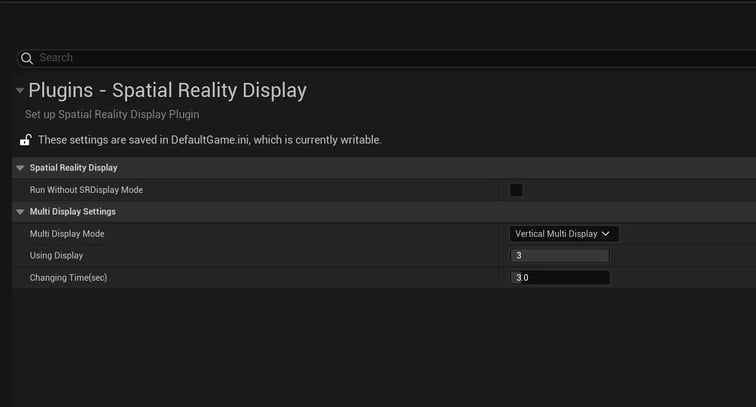
这将激活RunWithout Mode。在此模式下,您可以在 VR 预览中运行应用程序,并使用鼠标移动(右键单击并拖动)。


